

Event roles are a ladder. Each role includes everything below it.
| Role | What it adds |
|---|---|
| Coverage | Read-only event, pairings, standings, and decklists |
| Judge | Judge calls, penalties, deck checks, drops, and messaging |
| Head Judge | Result entry, rounds, roster, check-in, waitlist, and teams |
| Scorekeeper | Configuration, Event Page, Staff, finalizing the event, and the audit log |
| Admin | Analytics, payments, and refunds |
| Owner | Ownership, billing, and deletion |
Owner cannot be granted from the role menu. It is the account that created the event.
Add staff
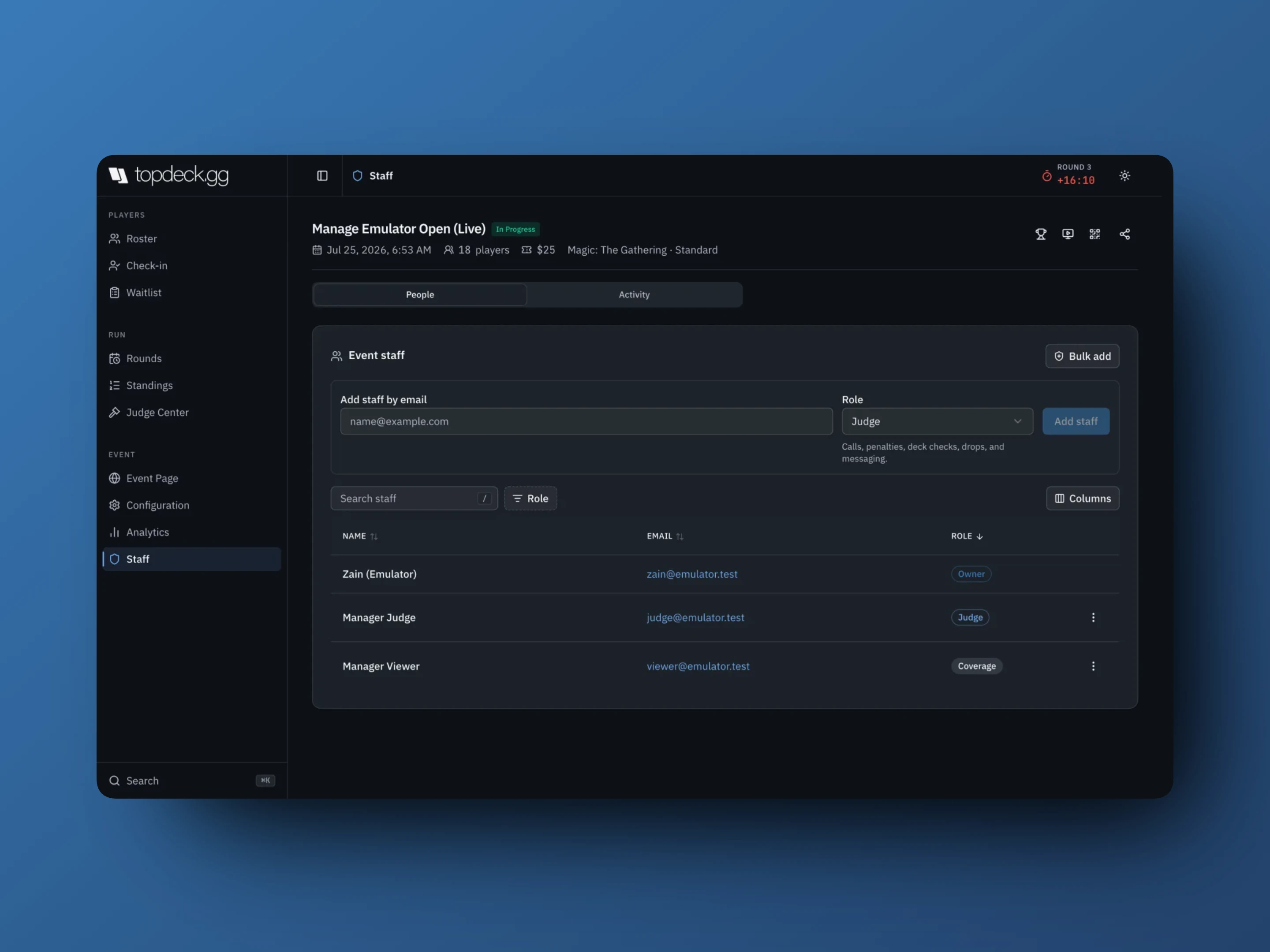
- Open the event and select Staff.
- Enter their TopDeck.gg account email under Add staff by email.
- Choose the Role.
- Add staff.
The email has to match the account they actually sign in with. A personal address on the invite and a store address on the account is the usual reason someone "can't see the event". Bulk add handles several people who all need the same role, and people you staff often can be marked Favorite so they come up first next time.
Staff do not need an organizer subscription. They find the event under Staffed Events in their own workspace, and see only the sections their role allows.
Pick the smallest role that works
- Streamers, commentators, and photographers → Coverage
- Floor judges → Judge
- Whoever runs pairings and enters results → Head Judge
- Whoever configures the event or manages other staff → Scorekeeper
- Admin only for people who need to see money and issue refunds
The habit worth keeping: nobody needs Admin to run a round.
Change or remove access
A staff row's ⋮ menu holds Change role and Remove staff. Removal takes effect immediately, and they lose access to the event as soon as you confirm.
You cannot modify the Owner, and you cannot change someone who outranks you.
Audit log
Staff → Activity is the event's record of who did what.
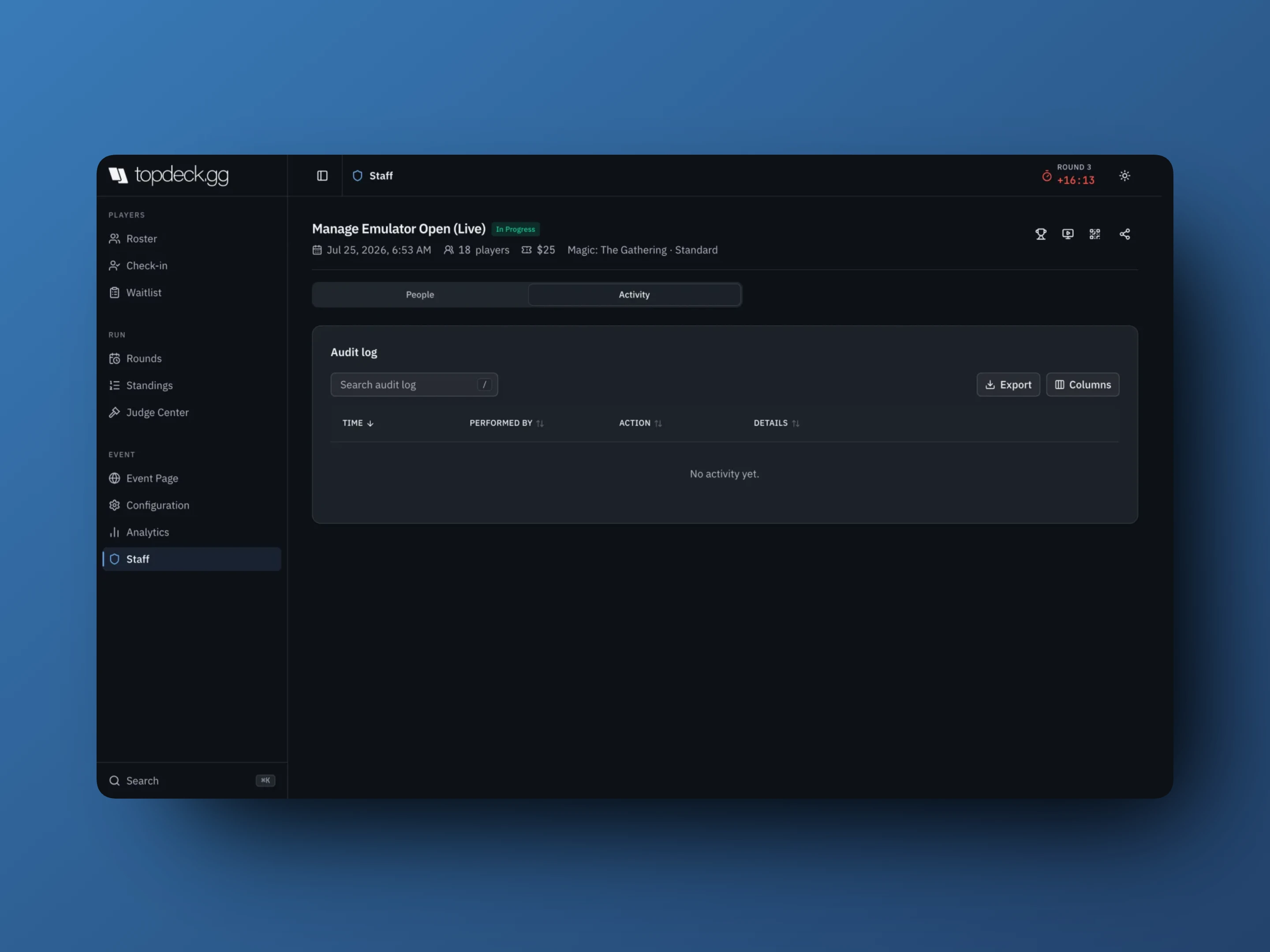
Recorded actions include:
- Check-in Started
- Player Added, Player Dropped, Player Undropped, Player Removed
- Round Published, Round Started, Round Ended, Round Cleared, Pairings Edited
- Staff Added, Staff Removed, Staff Role Changed
- Tournament Finished, Tournament Reset
Search it, and Load more to page back through a long event. Scorekeeper access or higher is required; lower roles see Your role does not include staff activity history.
The log covers server actions on the tournament. It is not a substitute for venue incident notes or your payment provider's records, and it does not record every read.
Circuit and convention staff
Circuits and conventions each have their own Staff section, controlling that program's workspace. Access inside an attached event is always that event's own role.
A convention can also grant event roles in bulk: select events in its Events table, then Assign staff to selected events with a list of emails and one Tournament role. See Convention workspace.