

Judge Center is the judge's page. Judge access or higher is required. It has four tabs: Judge calls, Penalties, Deck checks, and Reports.
Judge calls
Players raise a call from the bracket page or the app when Judge Call System is on in Configuration.
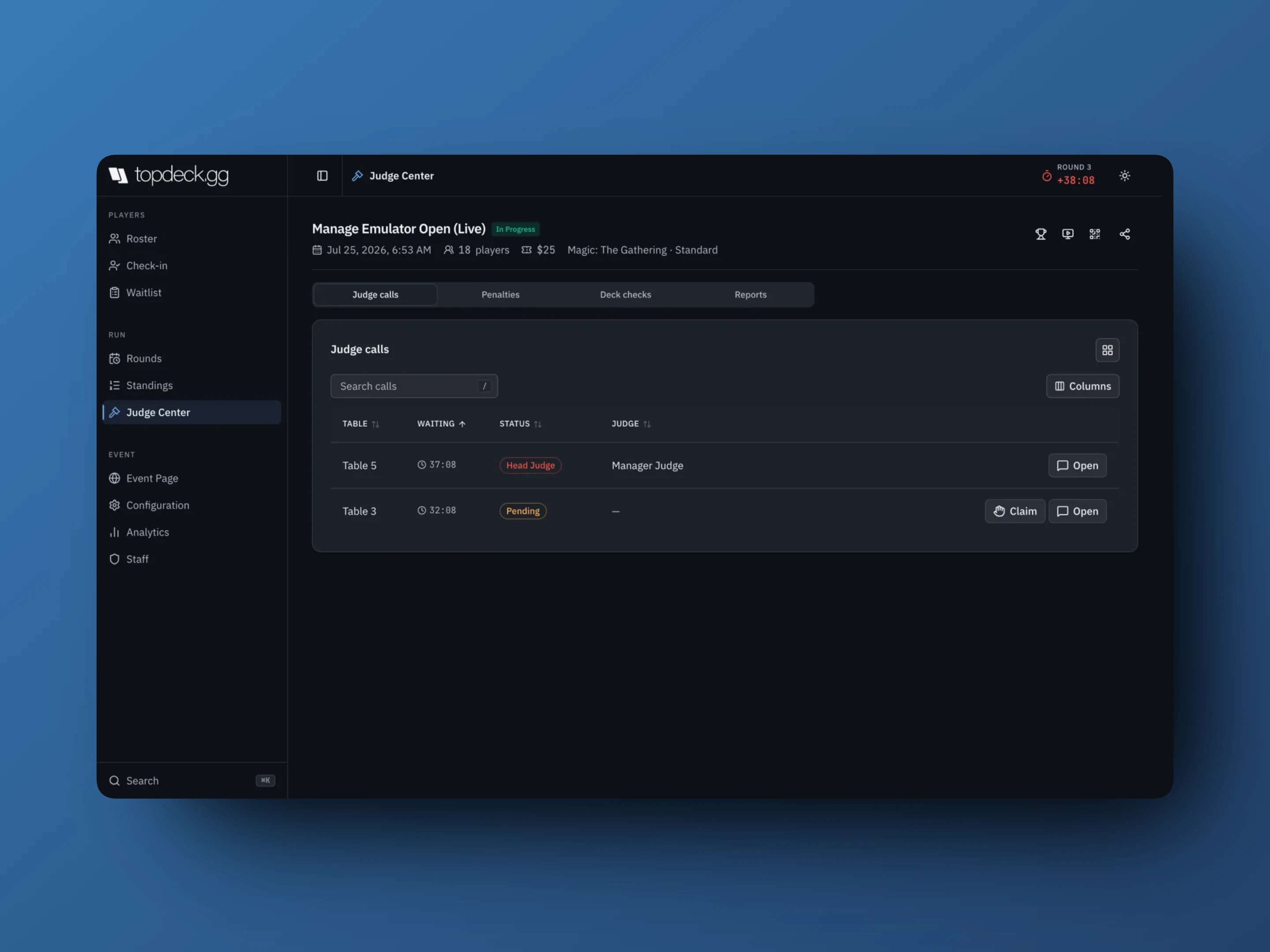
- Claim assigns yourself to the call.
- Escalate calls the head judge to that table.
- Open chat & details shows the table conversation and lets you enter or correct that table's result from the same screen.
- Resolve closes the call.
Table view lists calls; Grid view shows every table in the round with its status (Waiting, Playing, Open, Finished), so you can see the room at a glance and start a call yourself when you walk up to a table.
If live updates are unavailable the page falls back to polling and keeps the current call state on screen.
Penalties
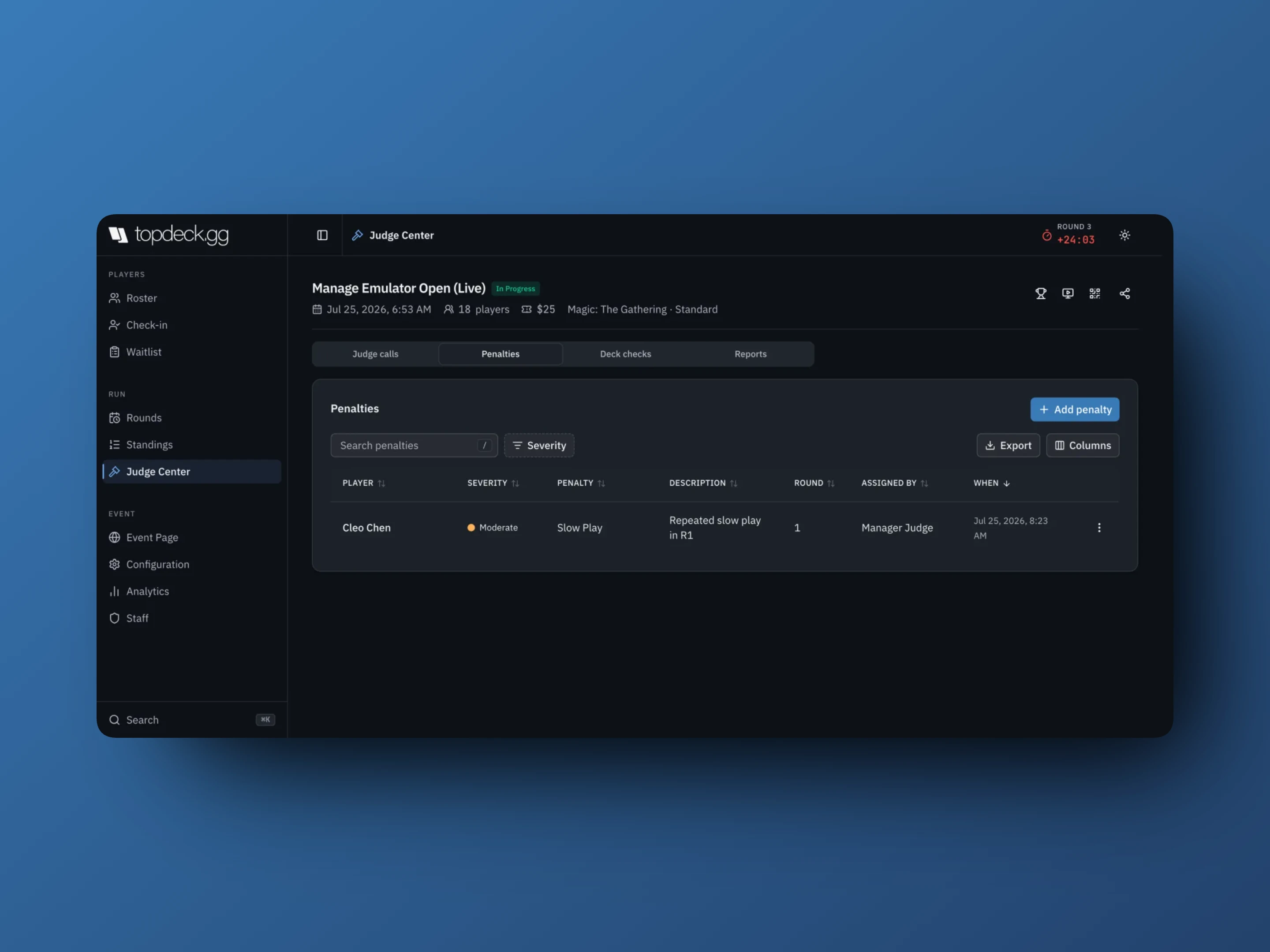
To record one:
- Open Penalties and select Add penalty.
- Choose the player.
- Enter the Penalty name and pick a Severity: Minor, Moderate, Major, or Severe.
- Add a Description. It is optional, but it is the only note the next judge will have.
- Confirm.
You can also start a penalty from any player menu in Roster, Standings, or Rounds. Opened that way, the form skips the player picker and the penalty records against the round in progress.
The log columns are player, severity, penalty, description, round, assigned by, and when. Search it, filter by severity, choose columns, and Export it for a report to your organization or the publisher. Remove penalty deletes a row after confirmation.
Deck checks
The Deck checks tab lists every player who submitted a decklist, with checked and unchecked state.
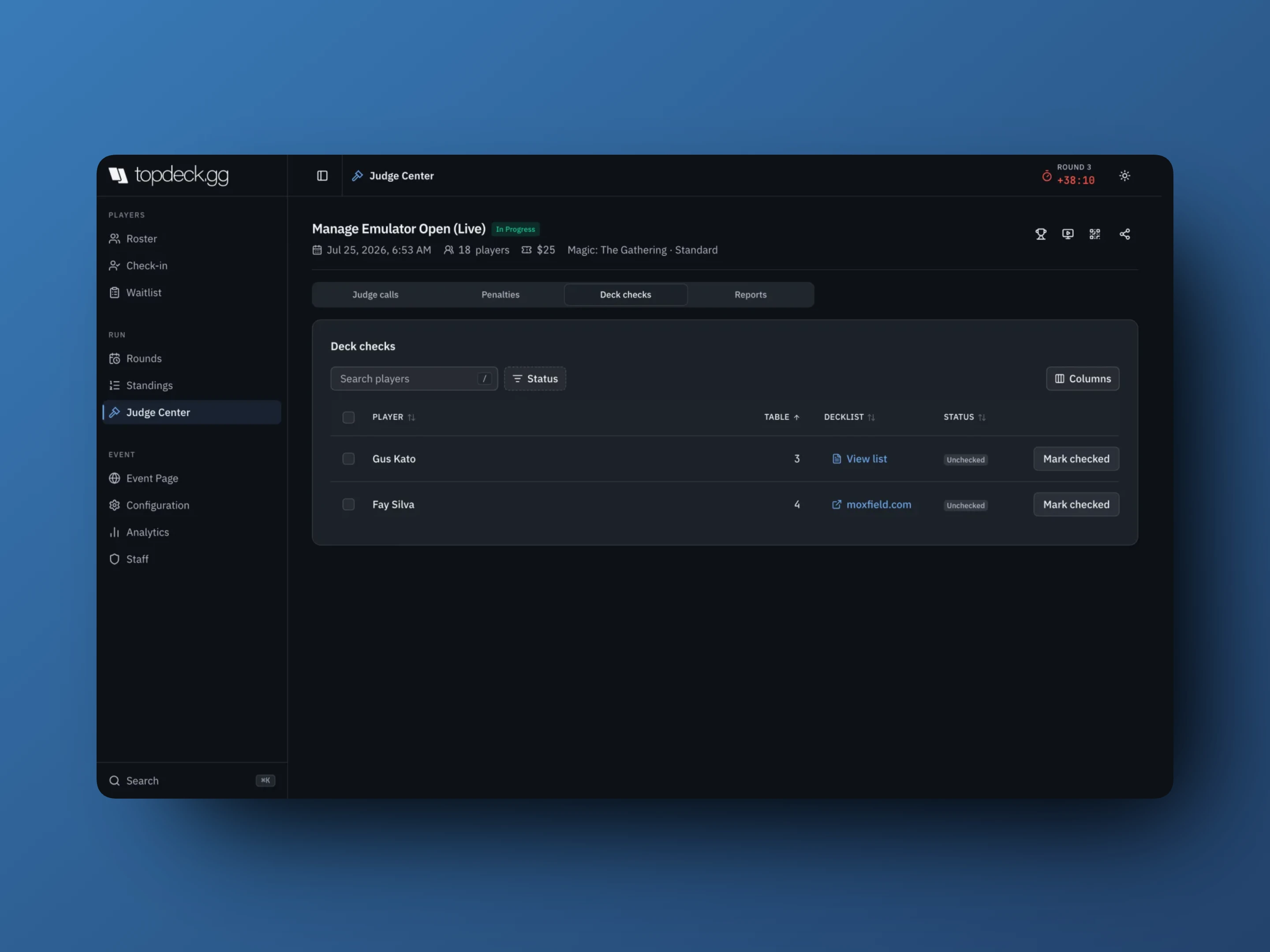
A check can start from three places:
- Mark checked here, including several players at once
- Deck check table on a table's menu during a round, which marks every seat at that table
- Mark deck check on a single player's menu anywhere
View list opens the parsed decklist; Text list shows the raw submission. Unmark reverses a check. Checked players carry a DC badge on the roster, standings, and round cards, so the floor can see who has already been checked.
Reports
When Player Chat is on, players can report a message from table chat. Those reports land on the Reports tab with the message, who reported it, and the round and table. View chat opens the thread for context.
Player details
Open a player's details sheet from any of these tables, or from Roster, Standings, or a seat in Rounds.
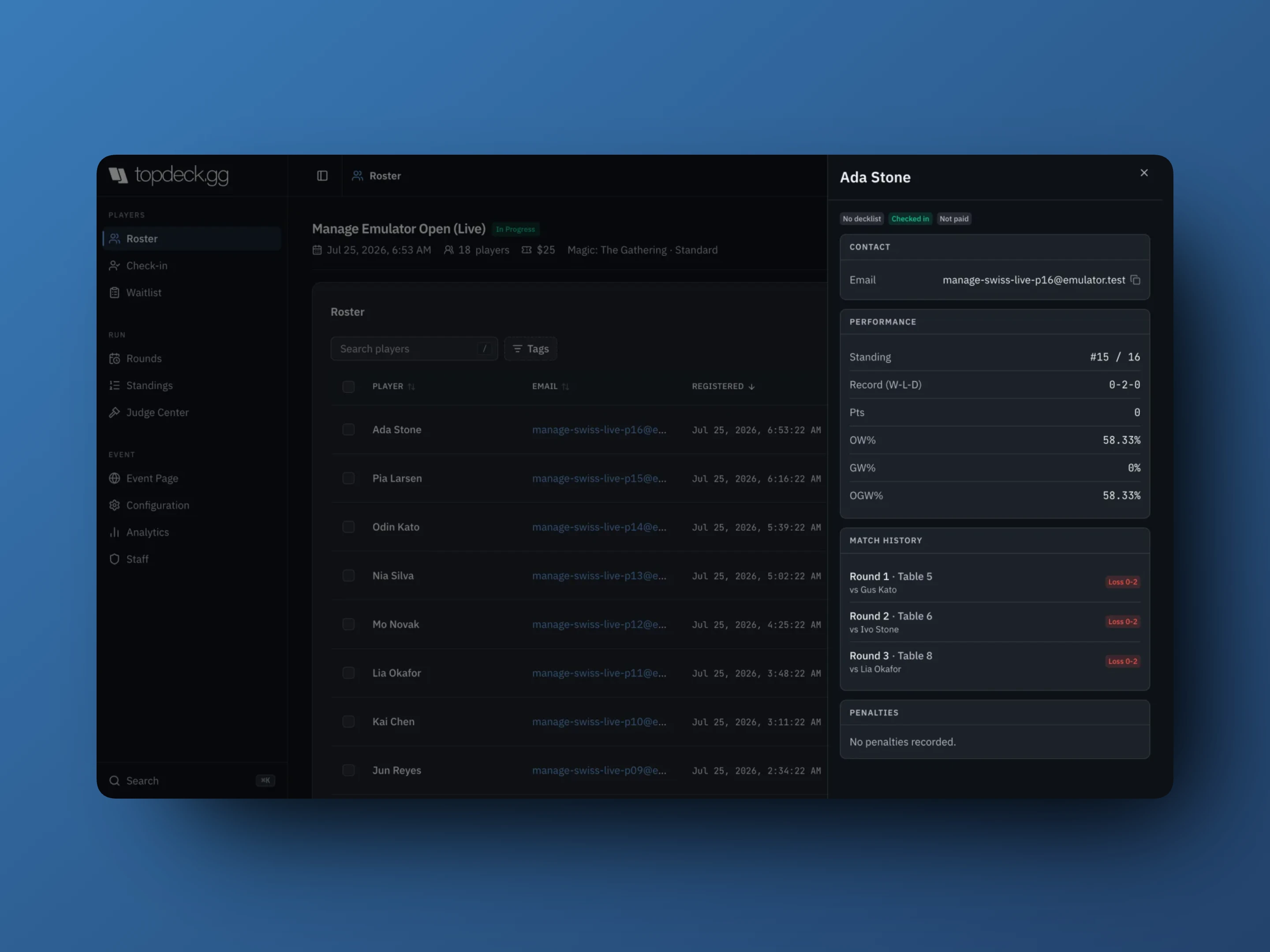
It carries contact details and required identifiers, current standing and record, per-round match history with opponents and results, penalties, decklist and check state, and team.
This is what you rule from, not a public profile. It is also the fastest answer to "who did they play in round two", which is most of what a table dispute turns out to be.
Correcting a mistake
Fix the specific thing that is wrong: remove the penalty that was entered against the wrong player, or reset and re-enter the one table whose result was misreported. Do not reset a round or clear tournament state to repair a single row. The record other judges rely on goes with it.