

TopDeck.gg reports at three levels: Your Community across all your events, an event's own Analytics, and a convention's Analytics across its program.
Your Community
Every player who has attended one of your events, combined into one list with the history behind it.
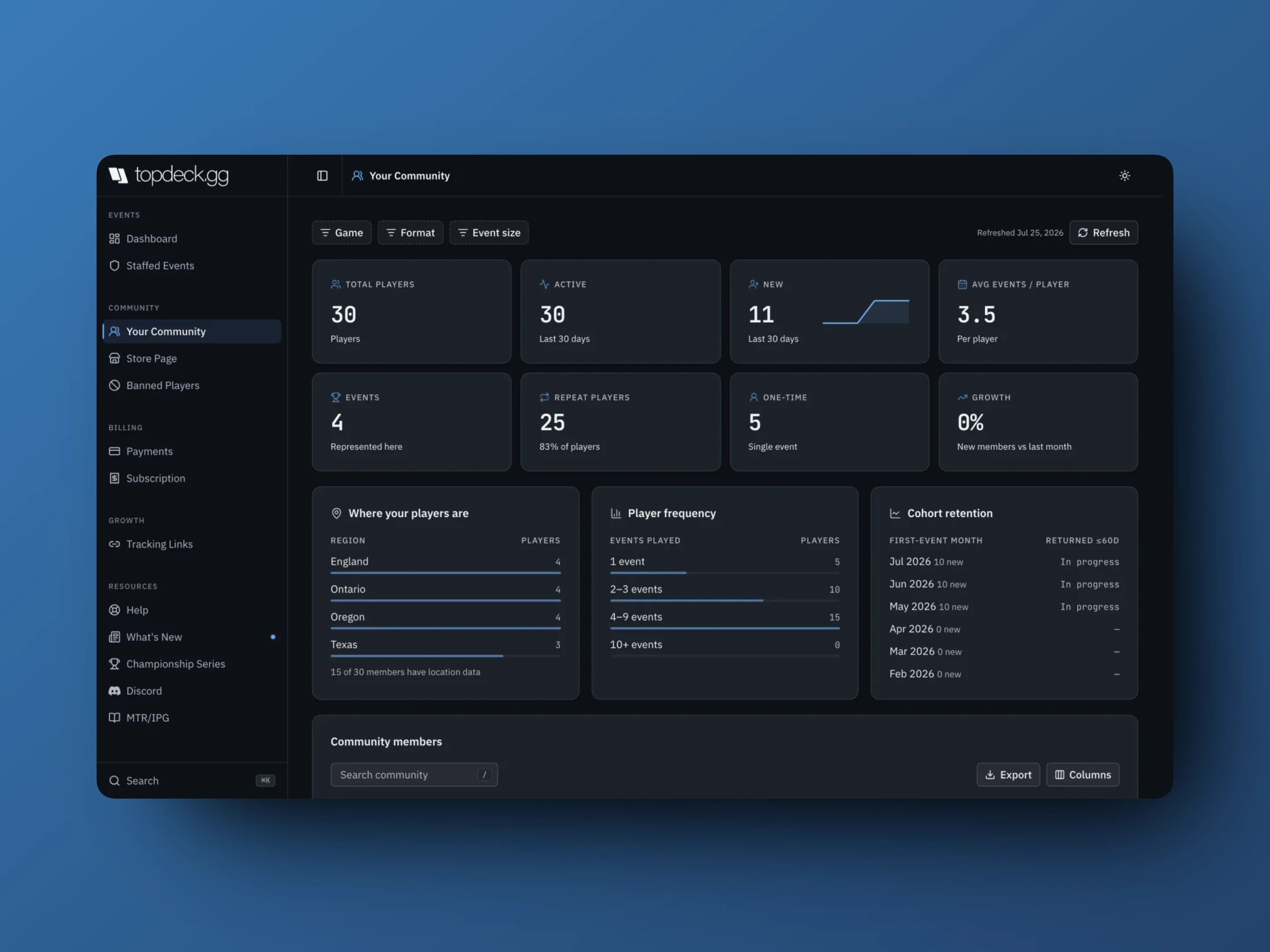
The top row of figures:
- Total players is everyone in your community
- Active is anyone who played in the last 30 days
- New is a first event in the last 30 days
- Avg events / player
- Events counts how many of your events are represented
- Repeat players is more than one event, with the share of the community
- One-time is exactly one event
- Growth compares new members against last month
Then three panels that answer the questions worth asking:
- Where your players are breaks players down by region, with a line telling you how many members actually have location data. Read the coverage line before you plan anything around the map.
- Player frequency shows how many players have played 1, 2–3, 4–9, or 10+ of your events. A community that is all in the "1 event" bucket has a retention problem, not an attendance problem.
- Cohort retention shows, for each month, how many players joined and how many came back within 60 days. Recent months read In progress until their window closes.
Filter by Game, Format, and Event size. The Community members table below can be searched, sorted, and exported, and each member links through to the events behind their history.
Refresh rebuilds the community from your events. The header says when it was last refreshed, and there is a cooldown between rebuilds. It is a full recalculation, not a page reload.
Event analytics
Open an event and select Analytics. It needs a TopDeck subscription and admin access.
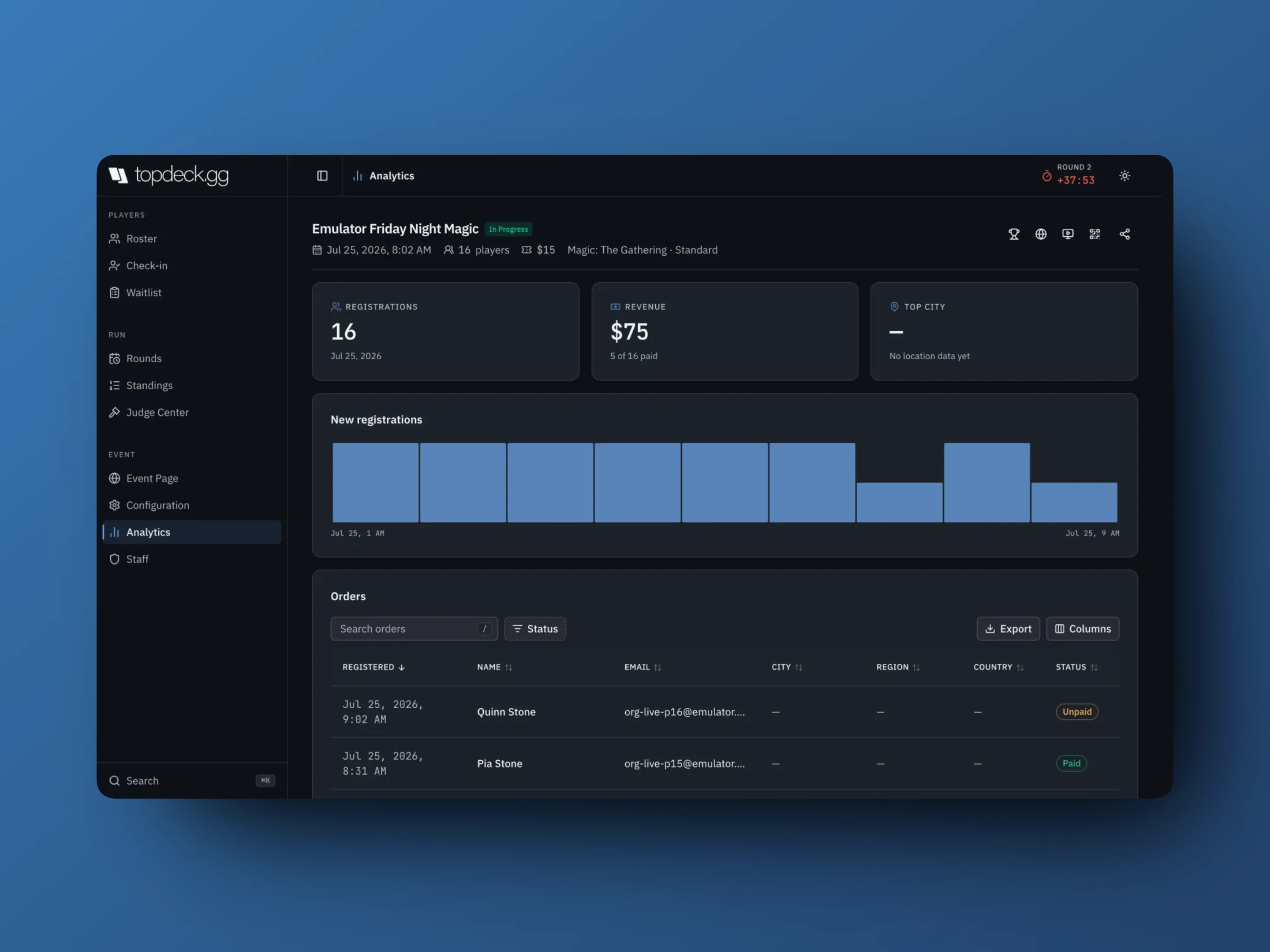
- Registrations, and New registrations over time
- Revenue. Before an event has catalog orders, this is the paid count multiplied by the event price. After catalog sales begin, it is current online order revenue after discounts, refunds, and any absorbed TopDeck service fee, but before provider processing fees.
- Sales lists product units and gross catalog value before discounts, plus discount-code uses and discounted totals.
- Registrations lists when each player registered, plus name, email, city, region, country, and Status (Paid, Unpaid, Free)
- Sources breaks registrations down by tracking code, plus a count of untracked ones
- Top city, and country and city breakdowns where players have shared location
Reconcile an online purchase against the event's Orders page and the payment-provider record, not the registration count. See Selling tickets and add-ons and Payment processing.
Convention analytics
A convention deduplicates people across its events, which is why Unique players is lower than Event entries. One person in three events is three entries and one player.
- Event entries and Unique players
- Multi-event players, anyone registered for two or more
- Seats filled against capacity, per event
- Revenue, where payment data exists
- Registration acquisition by method: Self registration, Organizer-added, or Waitlist
Filter by event, game, format, and day. The acquisition split is the useful one for planning: a program that is mostly organizer-added is running on your staff's time at the counter.
Reading retention honestly
Repeat attendance is only as good as the identities behind it. These reduce what can be counted:
- Players added manually with no account, since there is nothing to match them on next time
- One person using two accounts
- Registrations at events you do not own
So treat retention as a direction, not a measurement. When a number looks wrong, open the player or the event behind it before acting on it.
Exports
Export downloads the current table. Search and filters decide which rows go in, so set them first. Set Columns too if you need a field the default view hides.
Data timing
Live event operations update immediately. Aggregates like community stats, circuit leaderboards and precomputed standings recalculate after the source event finishes saving, or when you rebuild them. If a correction is not reflected yet, let the source event settle and reload the section.