

Commander and other multiplayer formats use the same event workspace as one-versus-one tournaments. What changes is scoring, pod pairing, and how a result is entered.
Read Running an event first for check-in, the clock, printing, and offline behaviour. All of that is identical.
Set the format and scoring
Create the event with Magic: The Gathering and the EDH or Commander format you run, then open Configuration before registration opens.
Points mode for multiplayer events:
- Total Points is one pot of points distributed by the result
- Custom Points lets you enter each player's points
- Advanced (All Point Options) shows every scoring field at once
Fields worth setting deliberately:
- Points for Win, Points for Draw, Points for Loss, Points for Bye
- Max Points Per Round is the ceiling on what any one player can be awarded in a round
- Starting Points gives everyone a base score to begin on
- Seat Scaling weights the result by seat count when pods are uneven
- Draw Mode: All or Nothing, Custom Percent, or Equal Distribution for a drawn pod
Changing any of this after rounds exist re-grades every game already played. Decide before round one and publish the values on your event page so players know what a win is worth.
Set up pods
In Configuration → Round:
- Bye Mode decides what happens when the field does not divide by four:
- Allow Byes (No 3 Person Pods) keeps full pods only, and the remainder gets byes
- Pair Low Standings into 3 Pod / Pair Low Standings into 5 Pod
- Pair High Standings into 3 Pod / Pair High Standings into 5 Pod
- Round Duration (minutes). Commander rounds usually need more than a 1v1 round.
- Starting Table Number and Blocked Tables if your venue numbers tables its own way
Pick one policy and publish it. Whether a three-player pod scores differently is a rules decision, not a software one.
Pair a pod round
Select New round:
- Swiss pods (recommended) builds pods of players on similar records
- Power pods builds pods top-down from the standings
- Random pods
- Bubble pods
Review the pods, Publish to make them visible and notify players of their table and seat, then Start the clock. Round actions → Edit pairings moves players between pods before or during a round; pods with a reported result are sealed until you reset them.
Multiplayer events can also run pool play: split the field with the Pool builder, pair pod rounds within each pool, and cut to a Top 4 final pod per pool — or a combined pod cut across all pools. See Running an event for the full pool workflow.
Record what happened
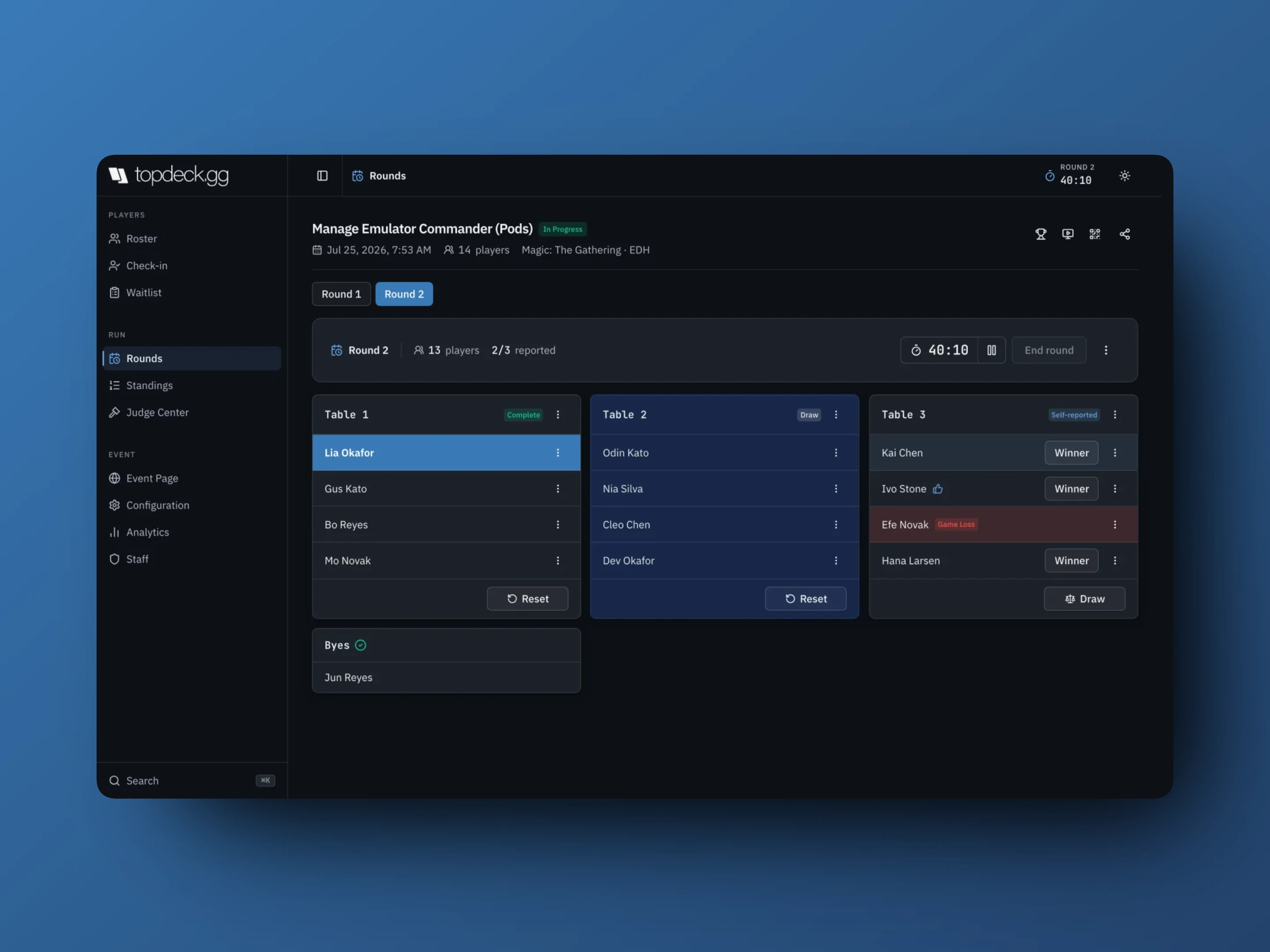
Each seat on a pod card has a Winner button. Select the winner and the pod is scored.
- Draw on the pod card records a drawn pod using the event's Draw Mode.
- For points-based events, the pencil opens the points editor. It enforces the rules you configured: Only one player can end with points and No player can receive more than N points.
- Self-reported pods arrive marked Self-reported; a thumbs-up marks a player who confirmed it. Staff can confirm, dispute, or overwrite.
- Reset returns a pod to unplayed.
Do not pick an arbitrary winner to close out an unfinished pod. Use the draw or points rule you published.
Seat menus carry the same actions as any event (deck check, penalty, game loss, drop, decklist), and Make new winner corrects a pod that was scored for the wrong player.
Cut to a top cut
- End the last preliminary round.
- Open Standings and check points and tiebreakers.
- Make cut. Choose Points or Rank, enter the line, read the preview, and confirm. Everyone below the line is dropped.
- Create the next stage from New round for another pod round, or Bracket for elimination play.
Pod cuts are offered at Top 4, 7, 10, 13, 16, 40, and 64, though only the sizes your field can actually seed. A four-player final pod is a pod round, not a bracket.
Frequent questions
Can pods be different sizes?
Yes. Bye Mode decides where the short or long pod comes from. Publish whether scoring changes for it.
Can players report their own pod?
Yes, when Self-Reporting is on. Turn on Require Confirmation if you want every player at the pod to agree before the result counts.
Can I run a Commander league instead of rounds?
Yes. Create a League instead of a tournament and players find their own games over a date range. Minimum Games Required sets how many games a player needs before they appear on standings.