Today we're launching Advanced Ticketing on TopDeck: entry tiers, add-ons, and discount codes for every event with payments set up. It is available on the website, with the same flow rolling out in the TopDeck app. Conventions are next - badges, vouchers, and more.
Until now, an event had exactly one price, and that number had to cover everyone - the early supporter, the VIP, the player who wants the exclusive playmat, and the judge you're comping in. Organizers made it work with spreadsheets, side payments, and door cash. Now the event can just do it: tickets that change price on a schedule, merch and dinners sold right inside registration, comp codes for your judges, and a pickup desk that knows who's owed what.
Entry tiers
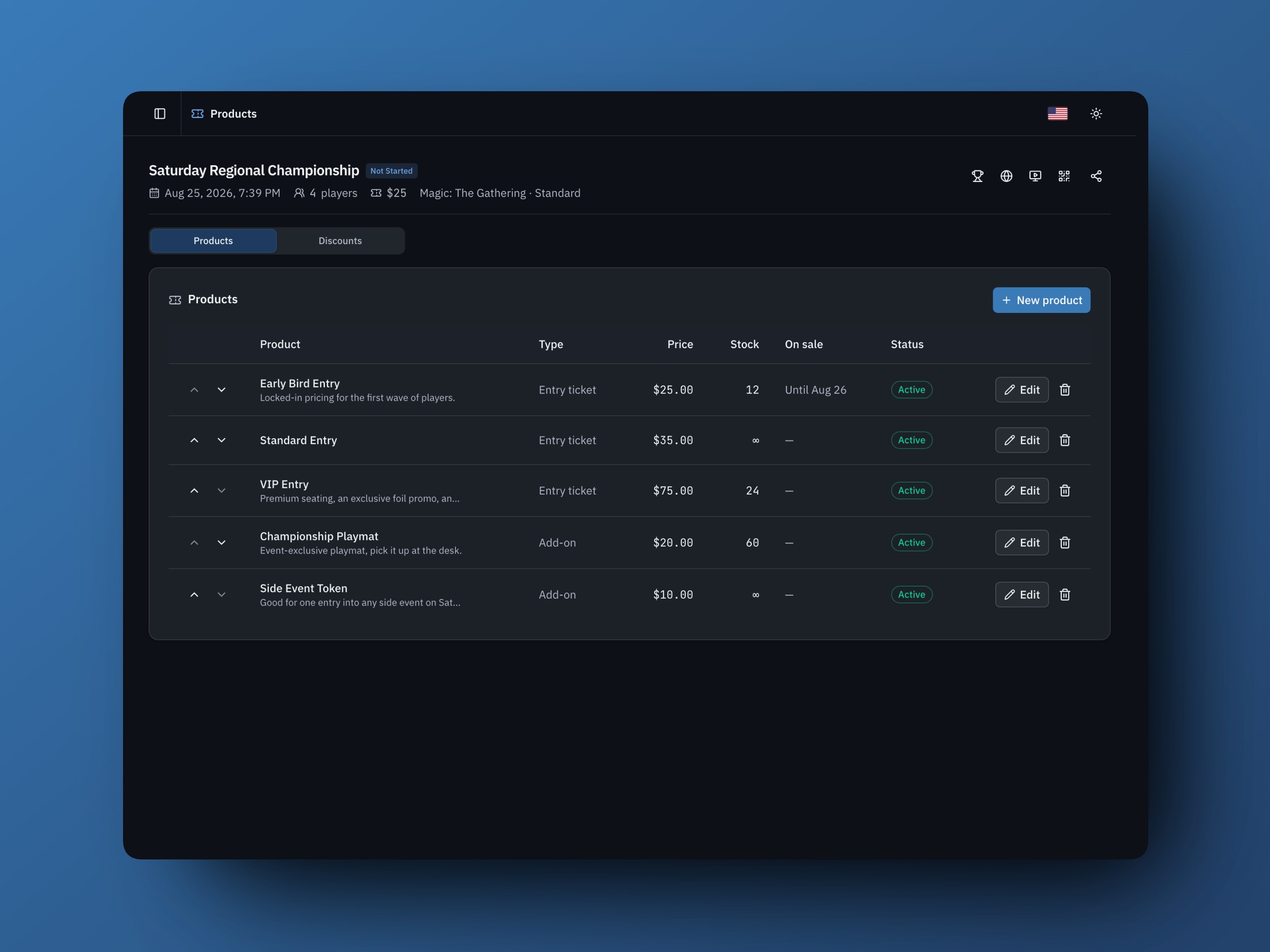
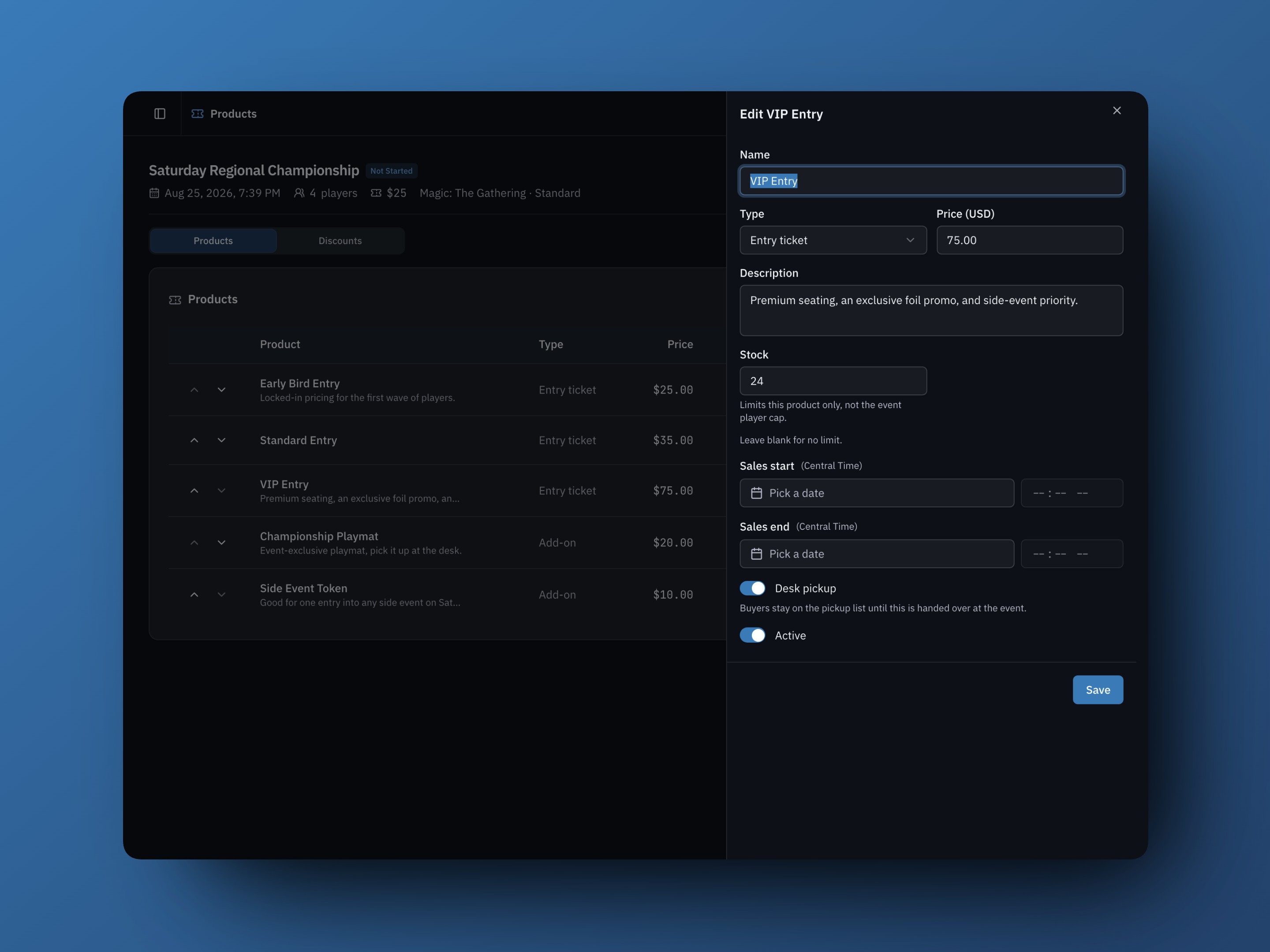
An entry tier is a ticket type: a name, a price, and optionally a stock limit and a sales window. Making one takes about ten seconds - open your event, pick Products in the sidebar, hit New product, and choose Entry ticket as the type. Name, price, save. Mixing a few of them covers just about every pricing setup organizers have asked us for:
- Early bird pricing. A cheaper tier with a sales end date. When the window closes, the tier stops selling on its own - no editing the event at midnight.
- A scheduled on-sale. Give a tier a sales start and you can announce the moment tickets go live. Until then it's listed with its on-sale date, and it opens itself on time whether or not you're near a computer.
- Wave pricing. Chain the windows: Wave 1 ends Friday, Wave 2 starts Friday at a higher price, and the price climbs on schedule. Works in reverse too - a pricier late-registration tier that only opens for the final 48 hours.
- Limited tiers. Give a tier a stock number and it sells out cleanly. Stock is live inventory reserved during checkout, so two active checkouts cannot claim the same last VIP ticket.
- Premium tiers. A VIP entry with its own description (premium seating, promo packs, whatever you're offering) sits right next to standard entry. Bundling physical goods into it? Flag the tier for desk pickup and it joins the pickup list like any add-on.
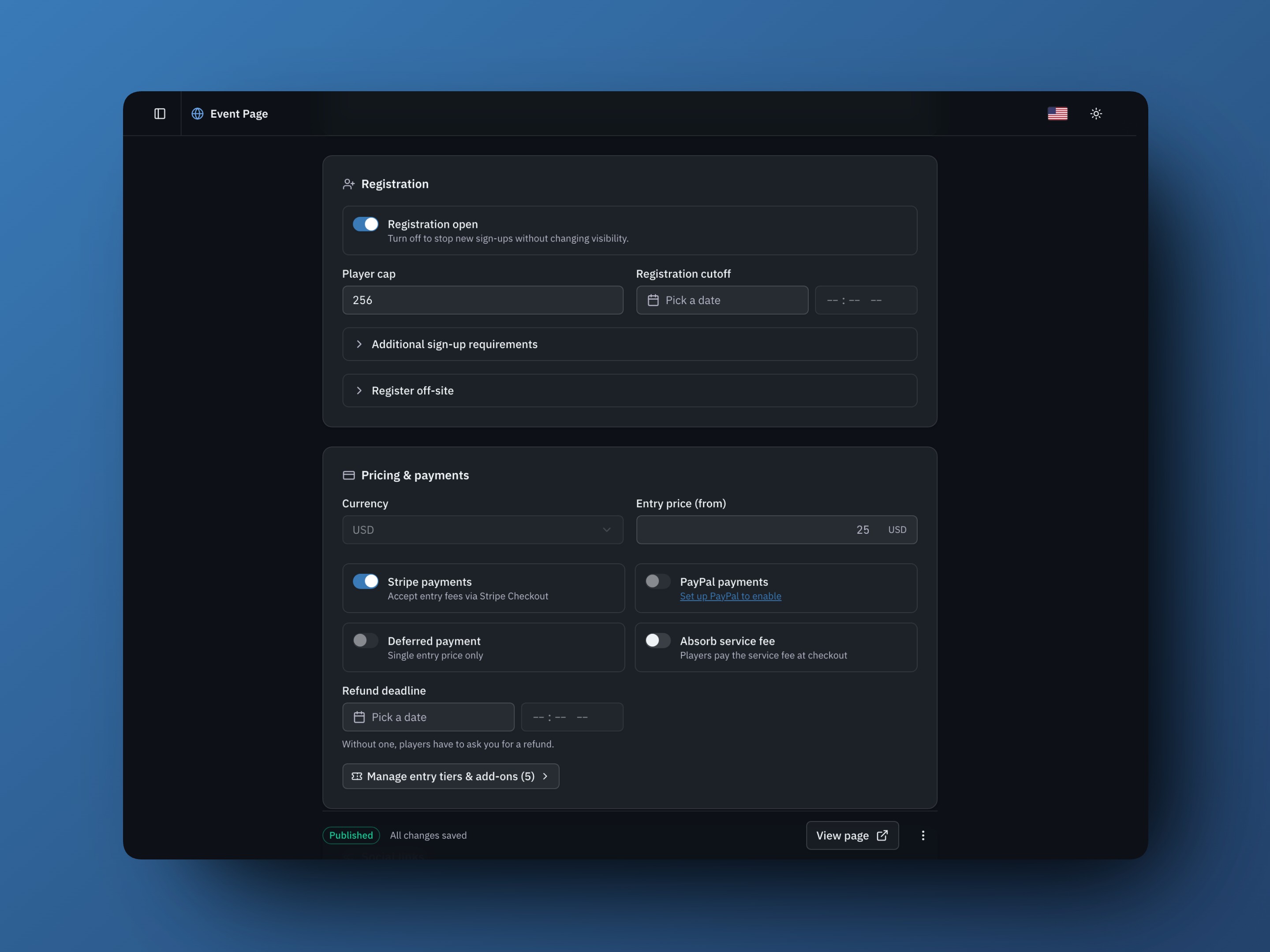
A couple of things to know: tier stock is separate from your player cap - the cap still governs how many players get in, a tier's stock only limits that tier. A single-price event also keeps the simple setup path: edit Entry price as before, or open Manage entry tiers & add-ons in Pricing & payments when you want the full catalog. Once multiple active tiers are offered, the event page advertises a "from" price on its own.
Add-ons
Add-ons are things a player buys with their registration - a playmat, a dinner, a side-event token, a t-shirt. They ride the same checkout, so it's one payment, one receipt, one order. Creating one is the same New product flow with the type set to Add-on.
Each add-on gets its own price, optional stock, and a per-order limit, plus a Desk pickup flag: physical items wait on the event's pickup list until someone hands them over, digital items skip the desk entirely.
Sales windows and stock work here too, and this is where they earn their keep. Selling dinner? Close orders three days out, when the caterer needs a final headcount. Playmat pre-orders? Cut them off the day the print run locks. Or drop twenty numbered playmats and let the stock counter end the sale for you. Anything, tier or add-on, can be paused mid-sale with its Active toggle and resumed later.
Discount codes
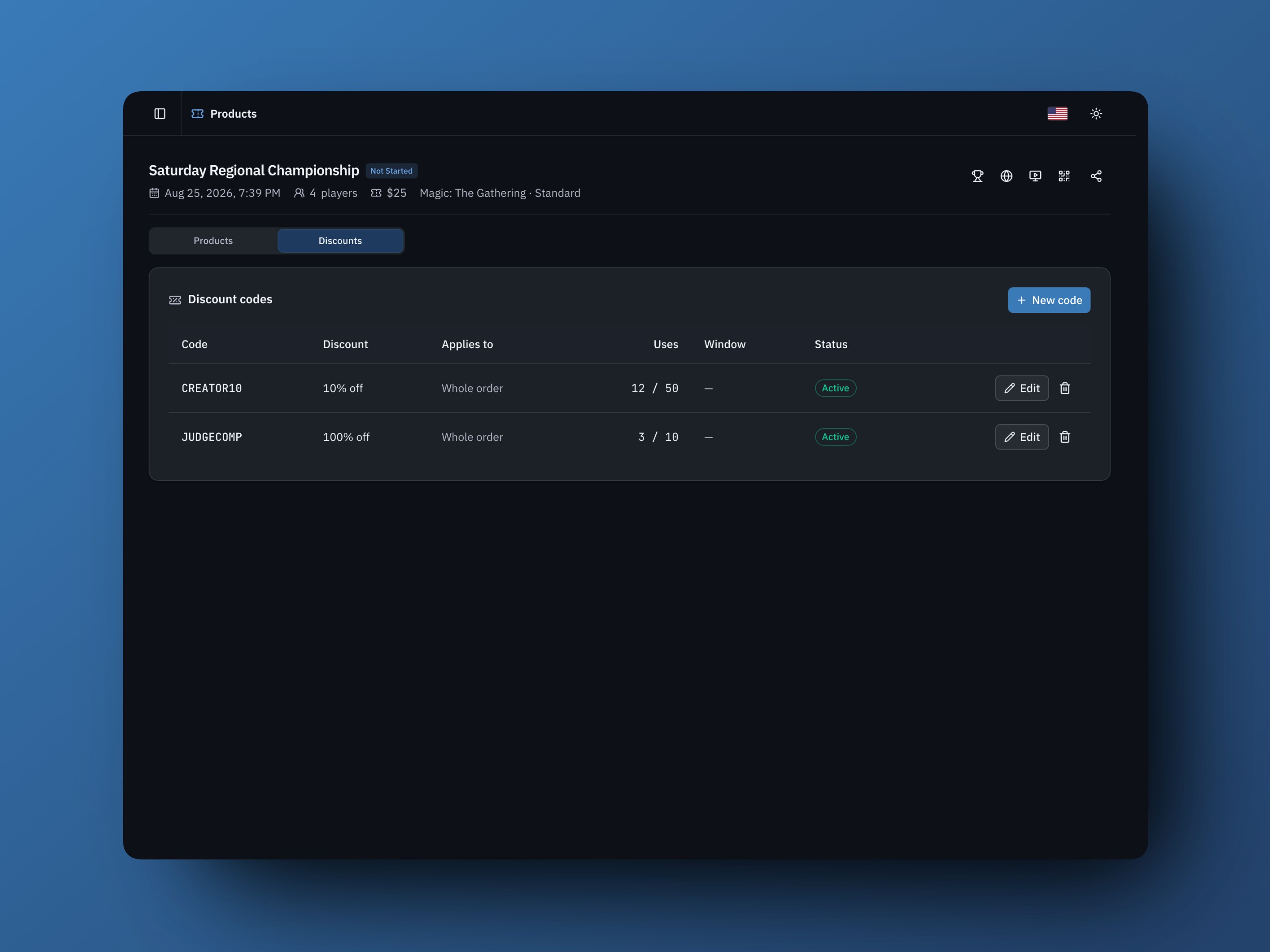
Codes live next door, on the Products page's Discounts tab. They do what you'd expect - percent or fixed-amount off, usage caps, date windows - but the fun part is what they tell you afterward. Every completed, non-refunded use is counted, so give each channel its own code and you can see which promotion sold entries:
- CREATOR10 for the YouTuber covering your scene: 10% off, capped at 50 uses. Their video's real conversion shows up in the Uses column, which beats arguing about view counts when you're deciding whether to work together again.
- COUNTERTALK for players your store staff pitch in person, DISCORD for the server announcement, NEWSLETTER for the mailing list. Same discount, separate codes - now they're comparable.
- A 100% code for comps. Judges, guests, and invited players register through the normal flow, the order records $0, and nobody needs special handling at the door.
- A flash discount with a start and end date, so it ends on time without you chasing it.
- A code scoped to entry only, which discounts admission but never the merch - your sponsor can comp tickets without also comping playmats.
Every code shows completed, non-refunded uses against its cap. Open checkouts reserve a use, so another active checkout cannot claim the same remaining slot, but the Uses count increments only when the order completes; a refund gives the use back. Clicking a code lists its orders, including cancelled ones, and Analytics totals current uses and discounts. Already using Tracking Links to measure page views and registrations per channel? Pair each link with a channel-specific discount code to add a purchase signal.
What players see
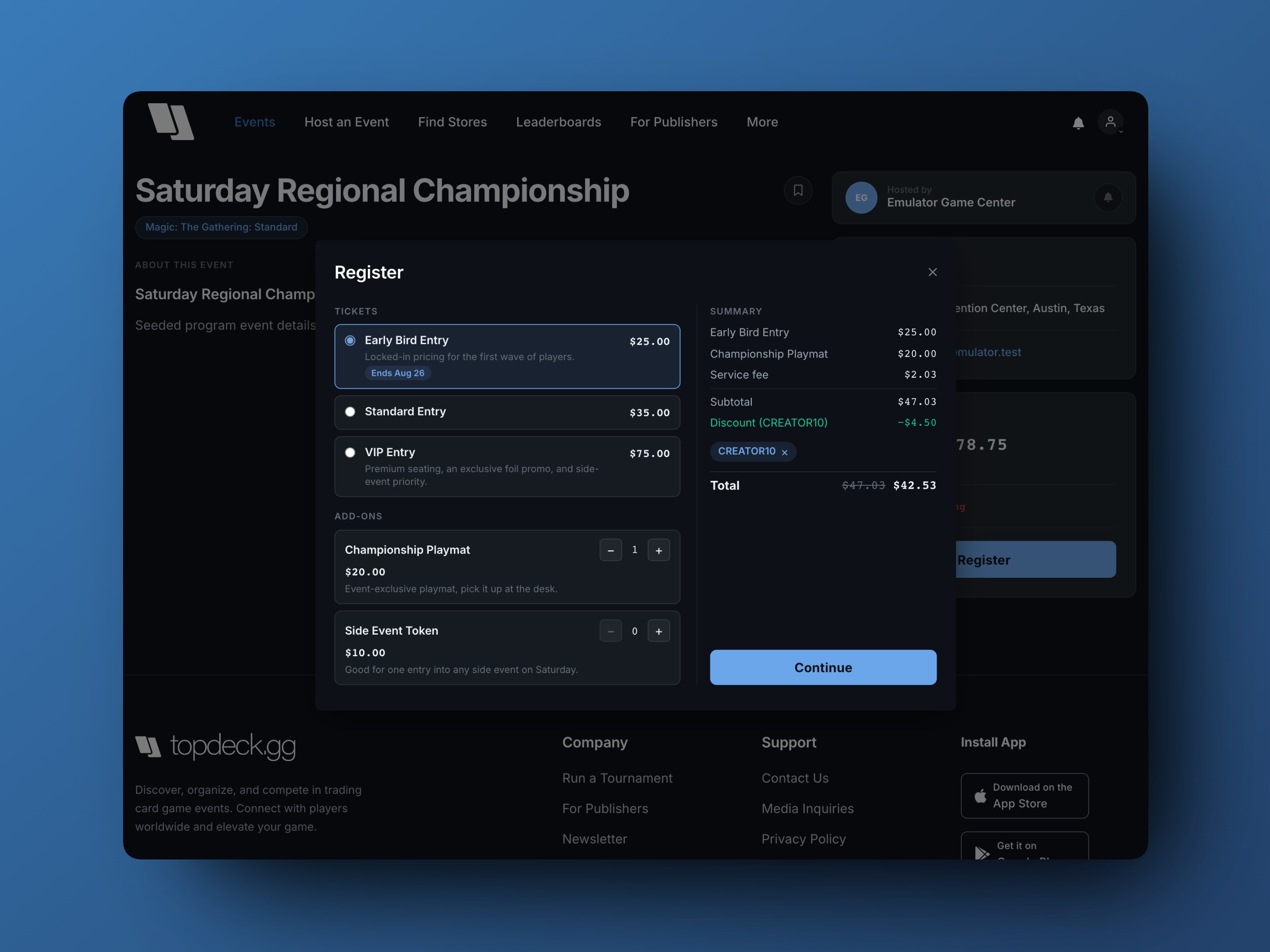
Hitting Register now opens a proper checkout. Tiers are listed with real prices and honest availability - a sold-out tier says sold out, an ended sale says when it ended, an upcoming tier says when it goes on sale. Add-ons sit below with quantity steppers, and a code field applies instantly with the discount shown as its own line.
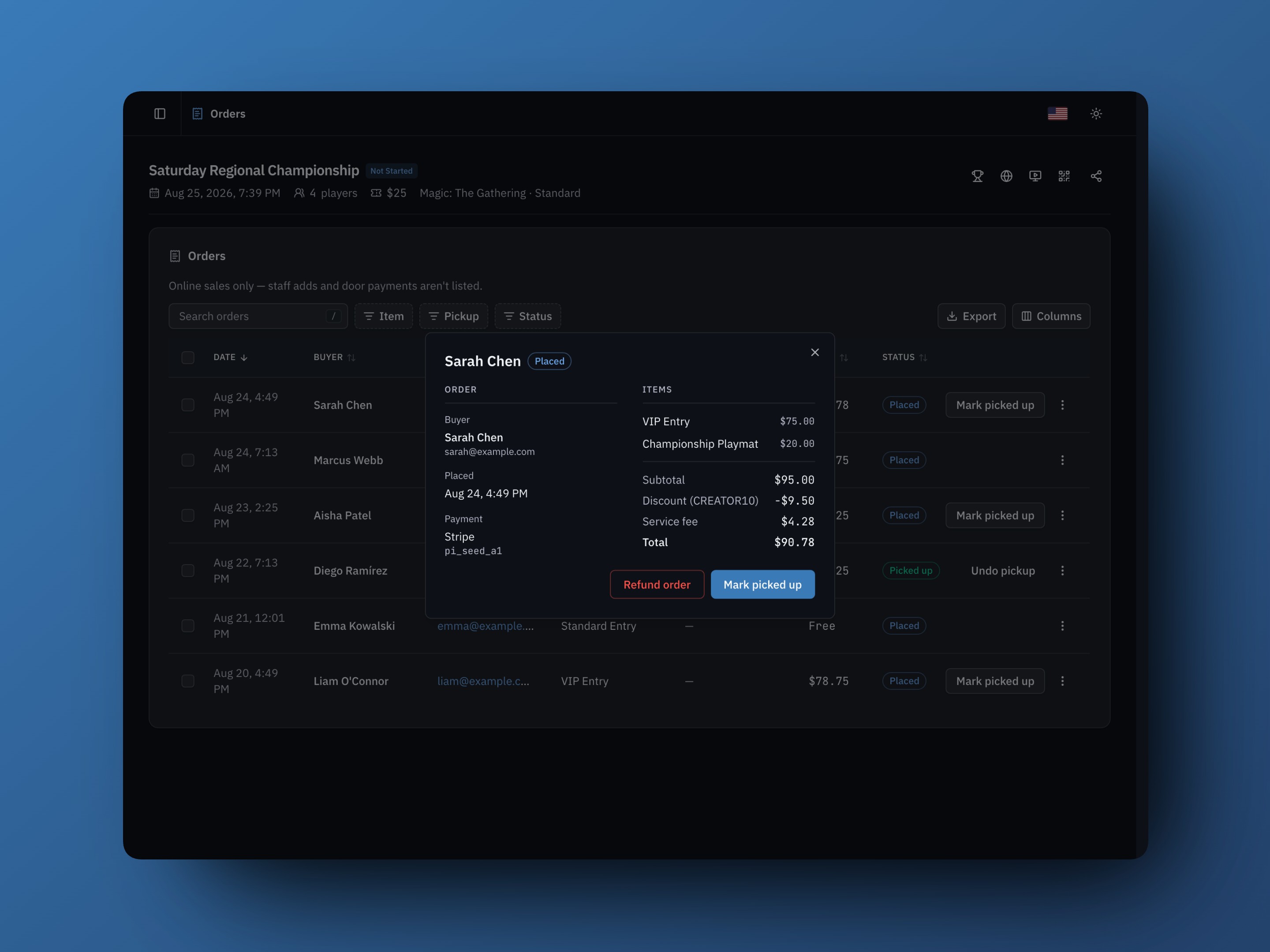
We're especially proud of the order summary, because it follows the purchase: every item, the discount, the buyer-paid service fee, and the total appear as their own lines in the TopDeck checkout, on the Stripe and PayPal payment pages, in the confirmation email, and in the organizer's order record. The player and the organizer are looking at the same numbers.
Behind the scenes, checkout holds the seat, the tier, and the add-on stock while someone pays, so two active checkouts cannot claim the same remaining item. Abandoned inventory is released when the hold expires. Reprice the event while a player has checkout open and their total corrects itself and asks for one more explicit tap. Nobody gets charged a number they didn't see. (And prices are always computed on our servers, so what you configured is what gets charged.)
The same flow is rolling out in the TopDeck app: registration opens a review screen with tiers, add-ons, and the code field, then hands off to Apple Pay on supported iPhones, card entry, or PayPal according to the organizer's enabled payment methods. Google Pay is not part of this release.
The pickup desk
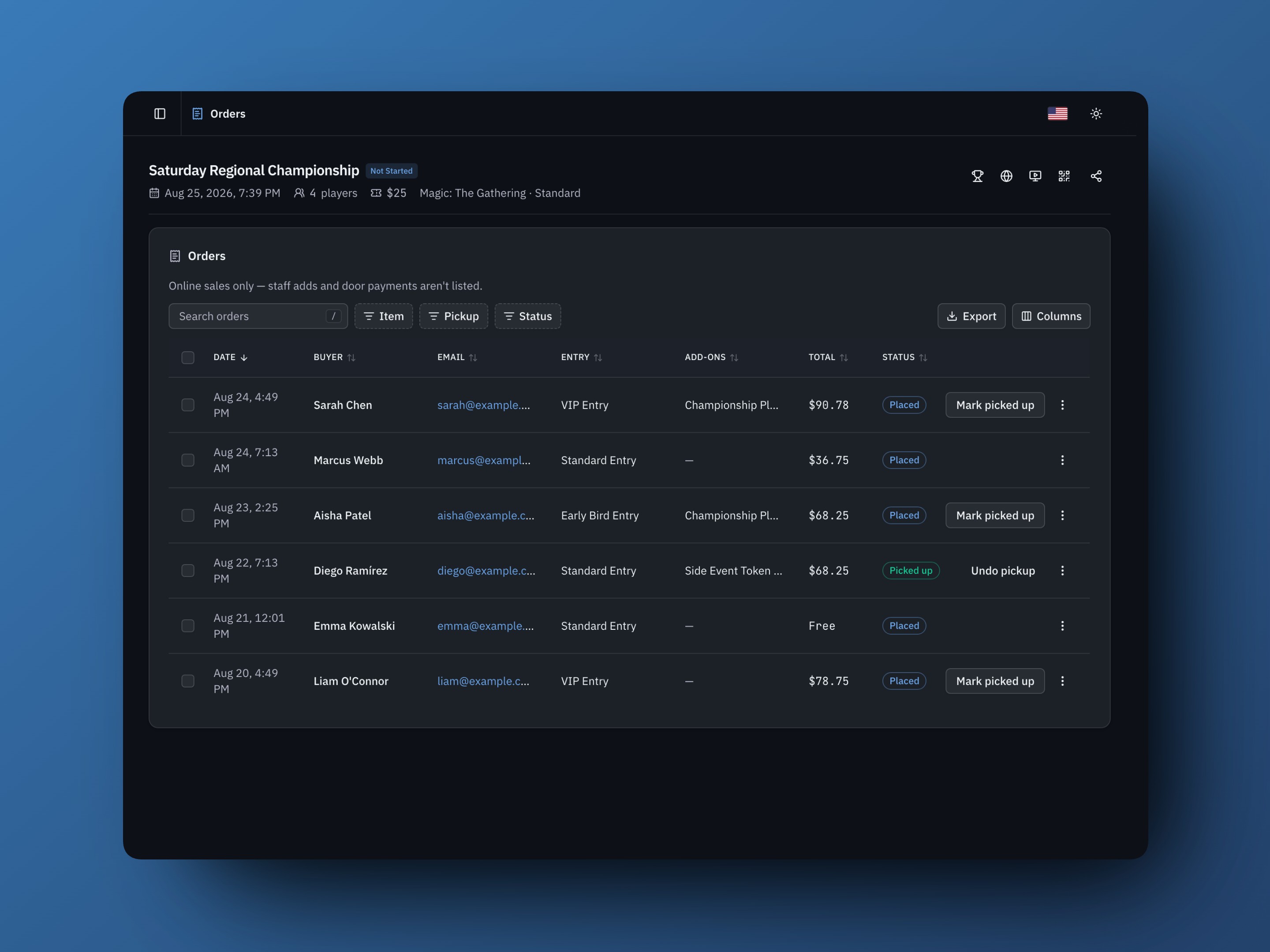
During the event, the new Orders page is your desk's home base. It lists every online order, a Pickup filter narrows it to what still needs handing over, and an Item filter answers "who bought the playmat?" in one click. Mark picked up clears orders one at a time or in bulk, and roster and check-in rows carry an add-on chip, so whoever's checking players in can spot a waiting playmat without switching screens.
Opening an order shows the full itemized record. Export hands scorekeepers and admins the same ledger as a CSV for the books. Refunds are whole-order: they return the money, including the service fee, restock the items, and give back the discount-code use - fully paid or fully returned, never half of one. The player remains registered unless the admin selects Also remove while refunding. Pickup marking is available to head judges and up, while refunds and catalog editing stay with event admins.
Sales analytics
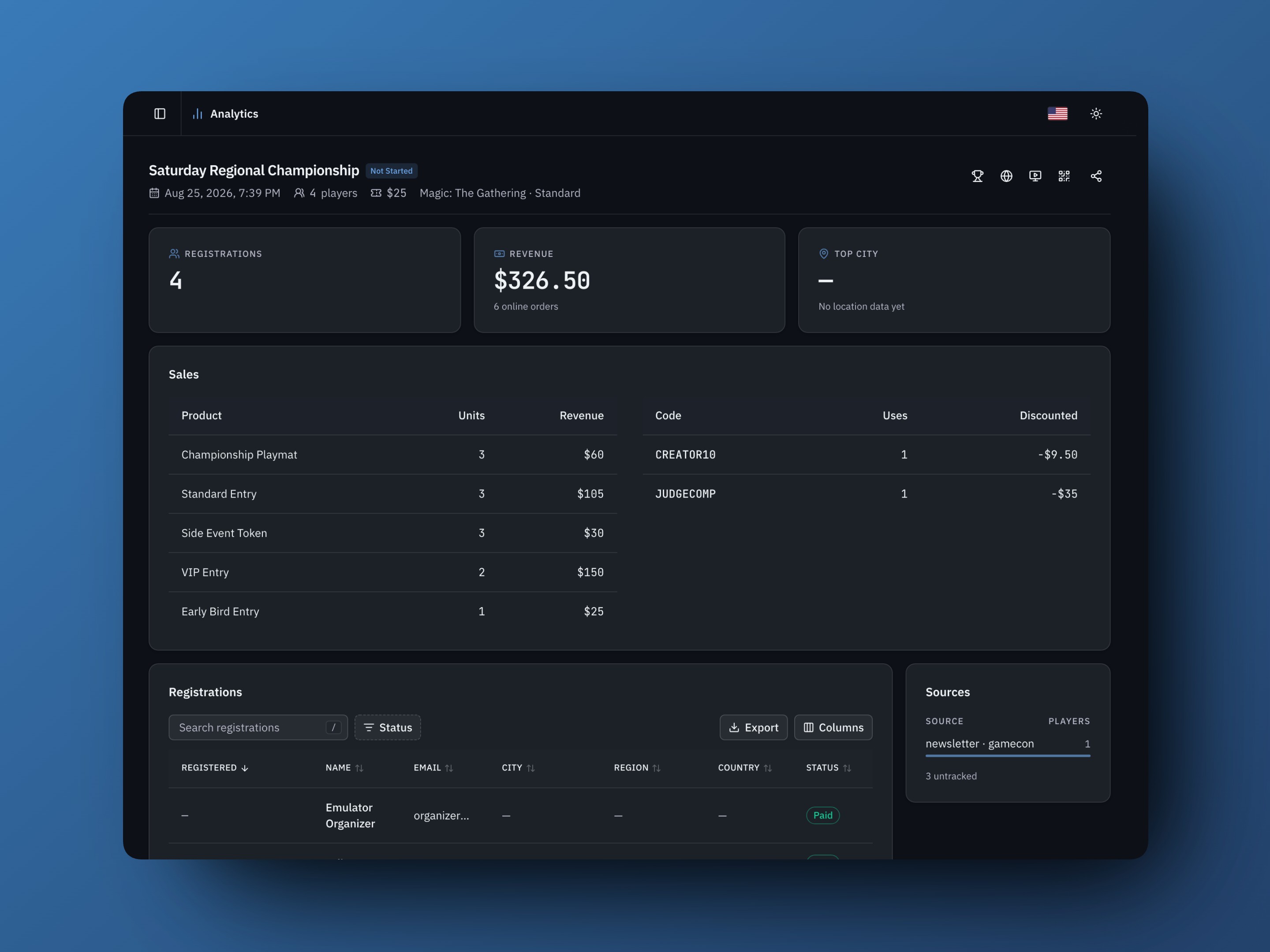
Once an event has catalog orders, its Analytics page reports online sales from the order ledger instead of estimating them from paid headcount. Revenue is the current organizer sales amount after discounts, refunds, and any absorbed TopDeck service fee, but before Stripe or PayPal processing fees. Each product shows current units and gross catalog value before discounts, while each code shows current uses and the amount discounted. If you've ever tried to reconstruct "how many playmats did we actually sell?" from a spreadsheet the Monday after, this page is for you.
The service fee is changing
With this release we're also updating how TopDeck's platform fee works, and we want to be upfront about it.
The old fee - 2% from the organizer's payout on events with 128 or more players - is retired. In its place is a 5% service fee paid by the player at checkout, calculated on the post-discount ticket-and-add-on subtotal and shown as its own line on every buyer-paid order. That 5% is the whole TopDeck fee; there is no additional flat TopDeck charge per ticket. On a $20 ticket, the TopDeck fee is $1, and event pages advertise the $21 all-in price, so the number a player sees up front is the number they pay.
The service fee applies only when a player pays through TopDeck checkout, and using our checkout is a choice:
- Organizers can absorb it. Flip Absorb service fee in the event's Pricing & payments settings and players pay list price while the fee comes out of your payout instead. Your call, per event.
- Or skip TopDeck checkout entirely. A simple, single-tier event can take payment at the door with deferred payment. You can also send players to another service with Register off-site (TopDeck will not automatically track those sign-ups, payments, or check-ins), or use our public API to register storefront buyers by email — existing accounts are added immediately and everyone else receives an invitation. TopDeck does not charge a service fee on money it does not process.
TopDeck adds no service fee to free events, 100% comp orders, deferred pay-at-door registrations, or off-site payments. Refunding an online order refunds the buyer-paid fee with it. Current rates and a fee estimator live on your Payments page, and the full breakdown is in the Help Center.
Available now
Advanced Ticketing is live today for every event with payments set up - you'll find Products in your event's sidebar. Existing events need no catalog migration work; the entry price already set becomes the event's first entry product until you add more. The player-side checkout is live on the website and rolling out in the TopDeck app, and there's a full guide to all of it in the Help Center.
Tell us what you build with it. Badge tiers for conventions, per-day passes, merch bundles - we know where this is going next, and your feedback decides the order.
Questions or feedback? Reach out at [email protected] or join our Discord.
Zain
The TopDeck.gg Team