Running ads? Posting on social media? Partnering with content creators? Now you can measure what's actually working.
Tracking Links lets you create unique codes for your events and conventions, then see exactly how many people clicked and how many registered.
How It Works
- Go to Tracking Links in your organizer dashboard
- Select an event or convention
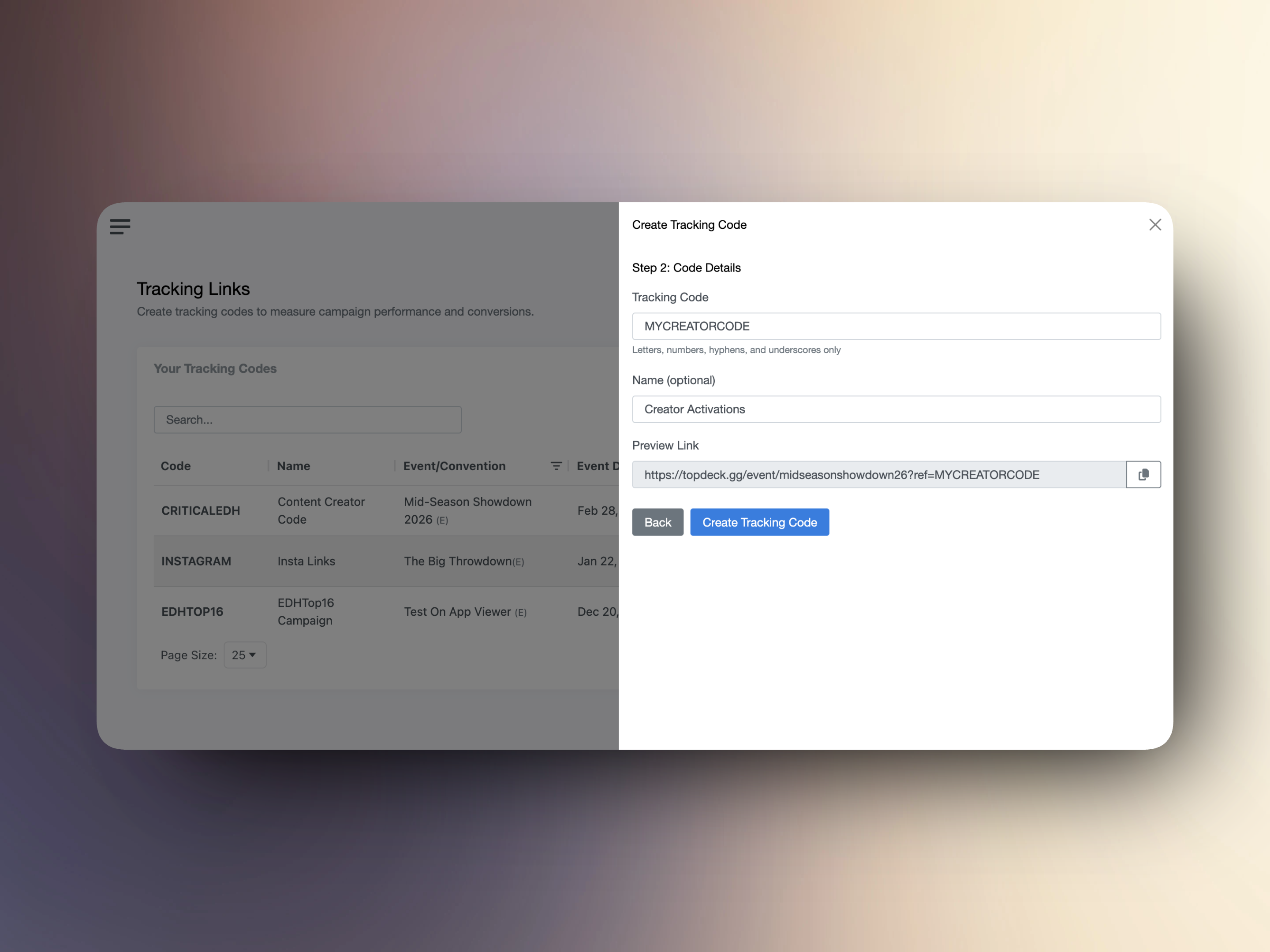
- Create a code (e.g.,
FB2026 or ZROB)
- Share the generated link:
topdeck.gg/event/abc?ref=FB2025
Every time someone visits that link, we track the page view. When they register, we track the conversion. Simple.
What You Can Track
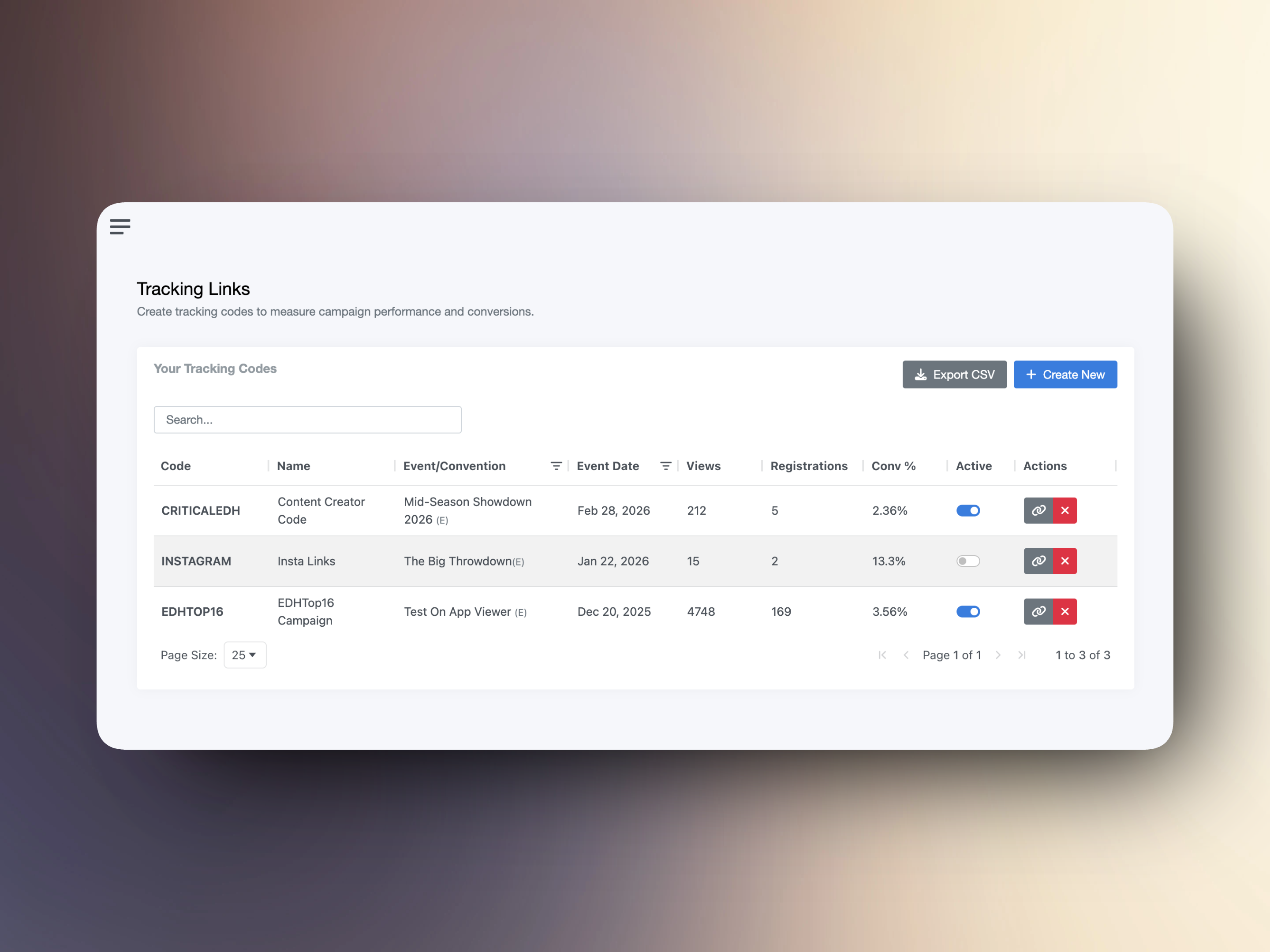
The dashboard shows all your tracking codes across all your events:
- Page Views - How many people clicked your link
- Registrations - How many of those visitors signed up
- Conversion Rate - Percentage of views that converted
Filter by event, search by code name, and export everything to CSV for deeper analysis.
Use Cases
- Social media campaigns - Create different codes for Twitter, Reddit, Facebook
- Influencer partnerships - Give each creator a unique code to track their impact
- Email newsletters - See how many subscribers convert to registrations
- Convention promos - Track which convention pages drive event signups
Getting Started
Head to Tracking Links in your organizer tools. You'll see all your events and conventions ready for tracking.
Questions? Reach out at [email protected] or in our Discord.
Zain
The TopDeck.gg Team