Today we're launching Team Events on TopDeck as an open beta. Grab two friends for Team Trios, or bring a whole squad to league night. You sign up as one team and you show up on the standings as one team.
Here's the short version of how it works. Teams get paired against teams. Each round, every member plays their own match against their counterpart on the other side, and whoever takes the most matches wins the round. Some formats play one shared game instead: in Magic's Two-Headed Giant or Riftbound 2v2, both duos sit at a single table and there's one result for the whole match. Either way, the standings track teams, not individuals. One line, one shared fate.
For Organizers
Getting a team event going takes about ten seconds. Pick a team format when you create your event - MTG: Team Trios (teams of 3, everyone plays their own match), MTG: Two-Headed Giant, and Riftbound: 2v2 (teams of 2 sharing one game) come ready-made. You can also turn any event into a team event under Configuration → Advanced Settings: set a Team Size, and flip on Shared Game if your teams play one game together.
Three things to know when you set up:
- Charging an entry fee? Price it per team. The captain registers and pays once, and teammates join by invite at no extra charge.
- Player caps count seats. A 16-team trios event is a 48 player cap, and the moment a captain creates a team, all of its seats are held - so a teammate can still claim their spot after the event "fills."
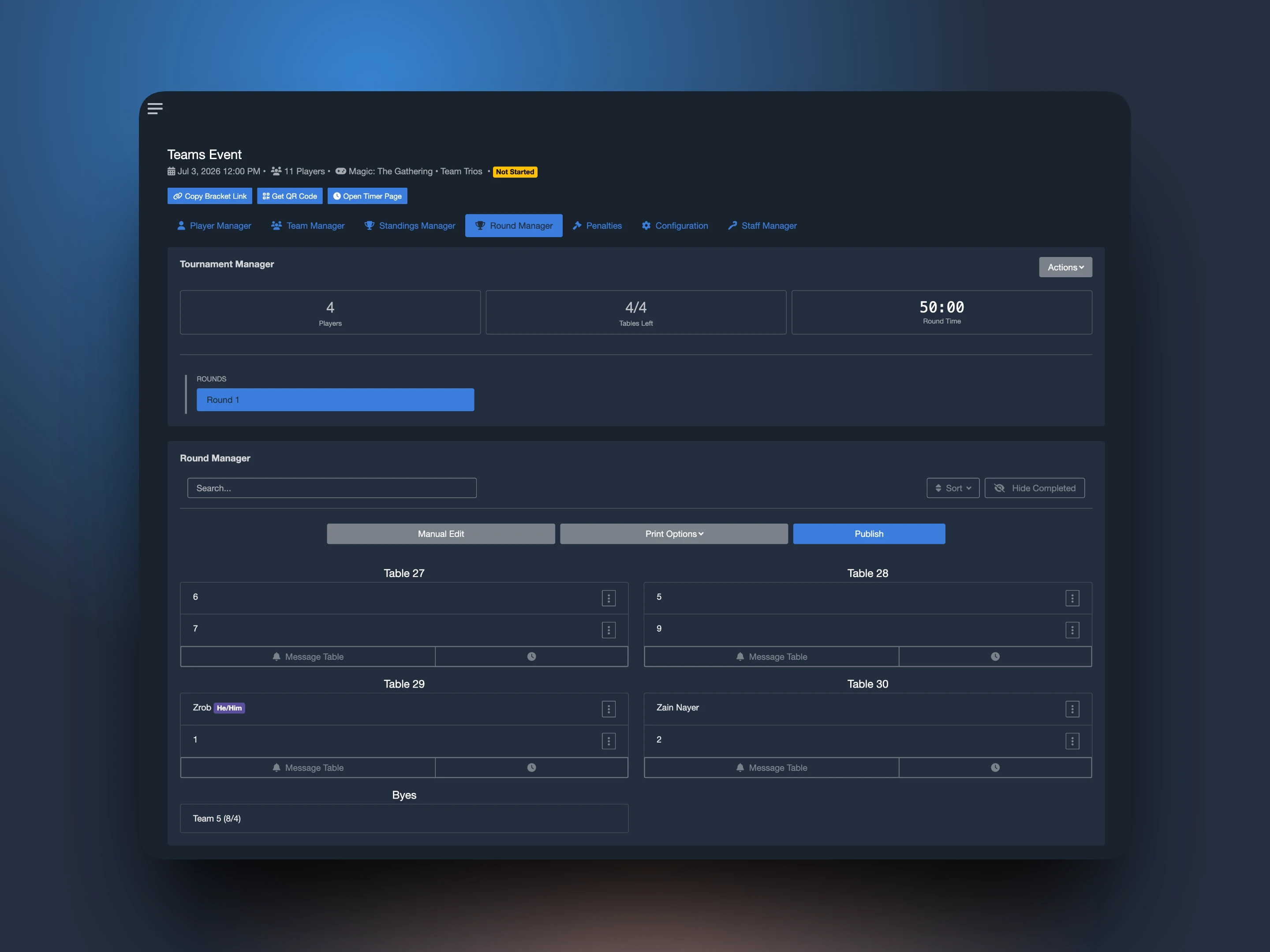
- Row Size is how table numbers get laid out for team play. Teammates sit side by side, so a trios match takes three adjacent tables, one per player, facing their counterparts. Set Row Size to how many tables fit in one row of your venue and TopDeck will never split a team match across a row break. Say your rows hold 4 tables: the first trios match seats at tables 1, 2, and 3, table 4 stays open, and the next match starts fresh at table 5 - nobody ends up around the corner from their own team. (Shared-game formats like Two-Headed Giant sit at one table per match, so their numbering just runs in order.)
Everything else - registration, decklists, check-in - works the way you already know.
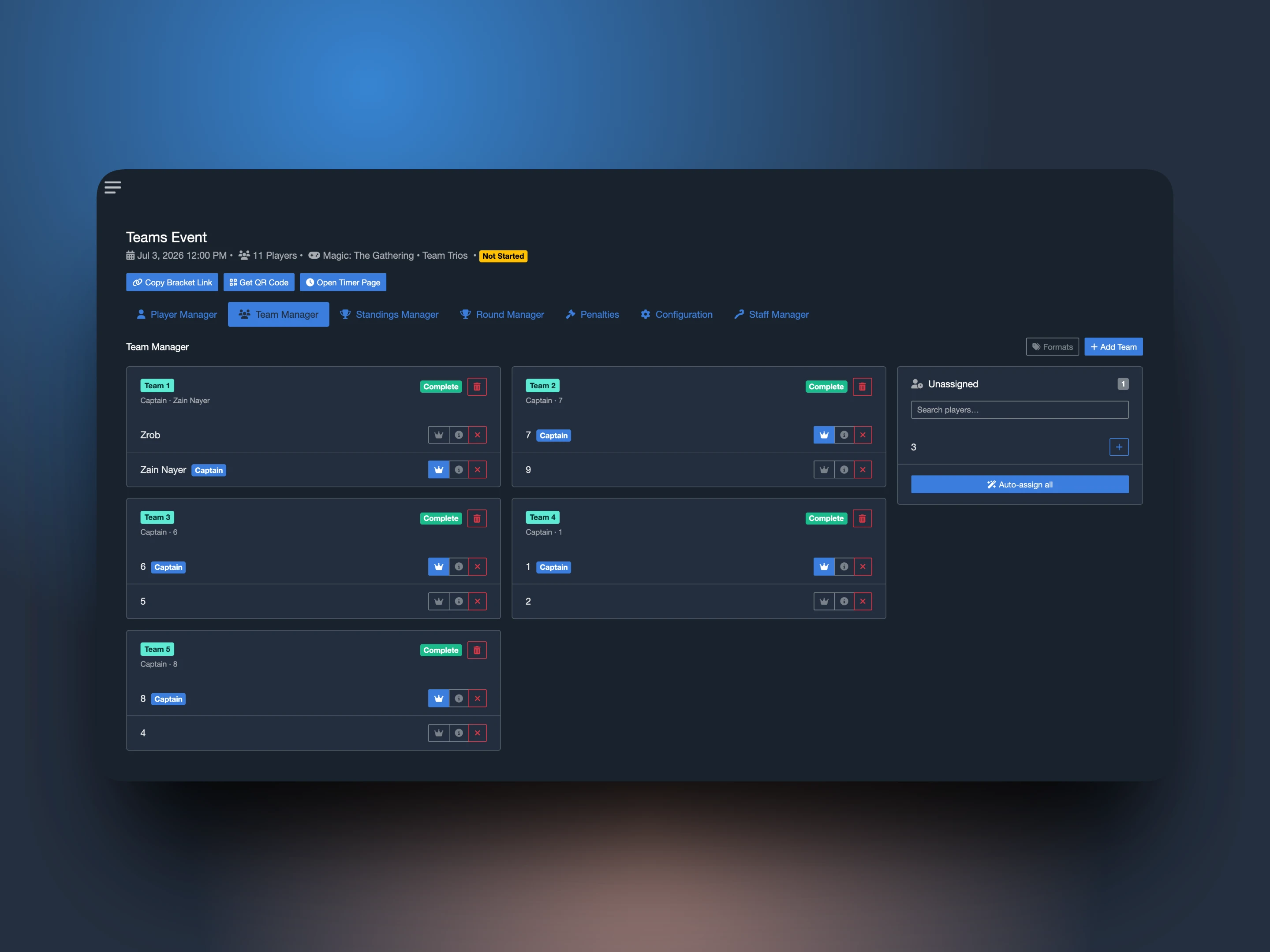
Once players start signing up, the new Team Manager tab is your home base. Every roster is laid out with its members, its captain, and a Complete or Incomplete badge, so you can tell at a glance who's ready for round one. You can build teams yourself, place players from the Unassigned panel, or hit Auto-assign all and sort everyone at once. Running Trios with fixed seats? Formats lets you define each seat (say, Standard / Modern / Pioneer) and assign one to each player, and pairings will line up Standard against Standard on their own. Need a change? Swap members, promote a new captain, or remove players right up until the event starts.
When it's time to play, nothing about your routine changes. Pair the round, publish, print slips, message tables. Each player gets their own seat and table number, and byes and drops apply to the whole team automatically.
For Players
The best part: teams organize themselves. No more emailing the TO a list of names and hoping it comes out right.
Register for the event like you always do, then open the Team page - it's on the event page and in My Events, on both the website and the TopDeck app. Create your team and you're the captain. On paid events, you cover the team's entry when you register, and your teammates never see a checkout. Your team's seats are locked in from that moment, too.
Getting your friends on board takes one tap:
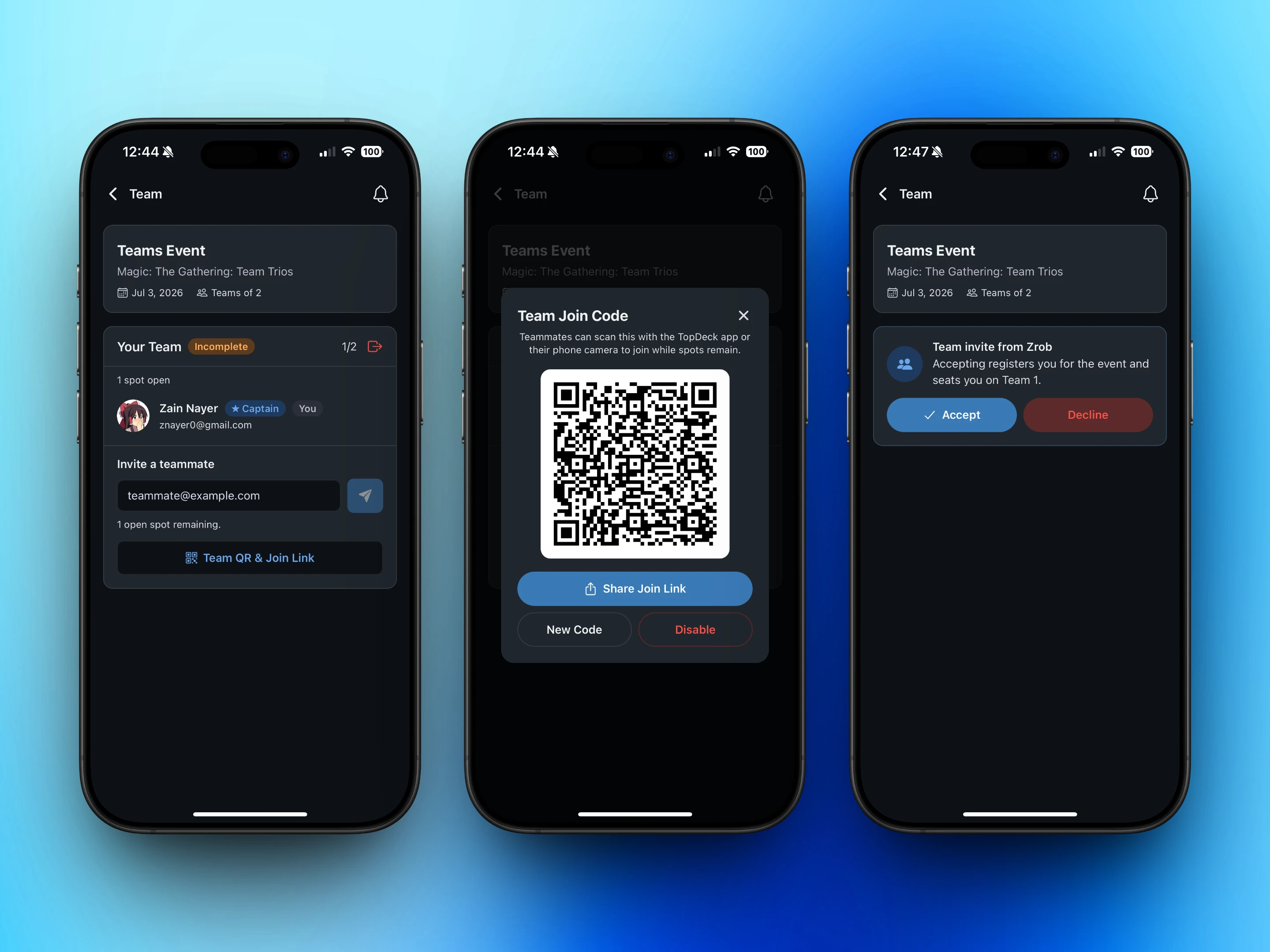
- Invite by email. They get an email and a push notification, and hitting Accept registers them for the event and seats them on your team. No forms.
- Or share your join code. Open Team QR & Join Link and teammates can scan it with the TopDeck app or their phone camera to hop straight onto your team while spots remain. You can rotate the code or shut it off whenever you want.
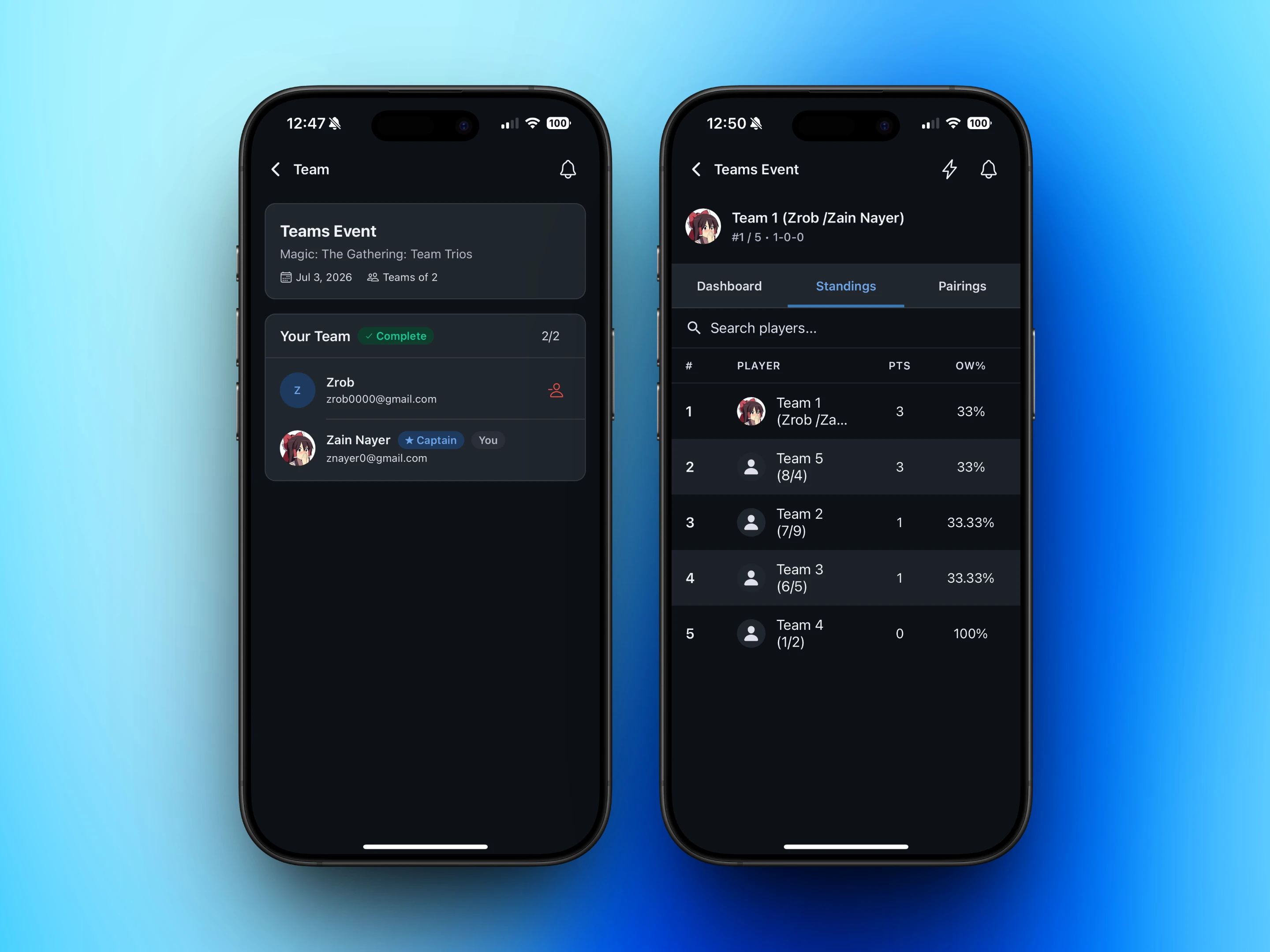
Your team card always shows where things stand: who's on the roster, who's captain, whether you're still missing someone. Plans change? Leave the team, or have the captain make a swap, any time before round one fires. After that, rosters lock.
Playing a format-per-seat event like Team Trios? The captain also decides who plays what. Formats get assigned right on the team page (picking one that's taken swaps it with that teammate), the team reads Incomplete until every seat has one, and pairings will put each of you across from your own format all day - your Modern deck never has to face a Standard matchup.
During the event, the app keeps the whole team in the loop - your table and pairing each round, and where the team sits in the standings, together as Team 1 (you and your friends).
It's an Open Beta
Team Events are live for everyone today, on the website and in the TopDeck mobile app (App Store / Google Play). Team play touches every corner of running an event, and we want to polish it against real tournaments - so if something feels off, or there's a team format you want that we don't support yet, tell us.
Questions or feedback? Reach out at [email protected] or join our Discord.
Zain
The TopDeck.gg Team