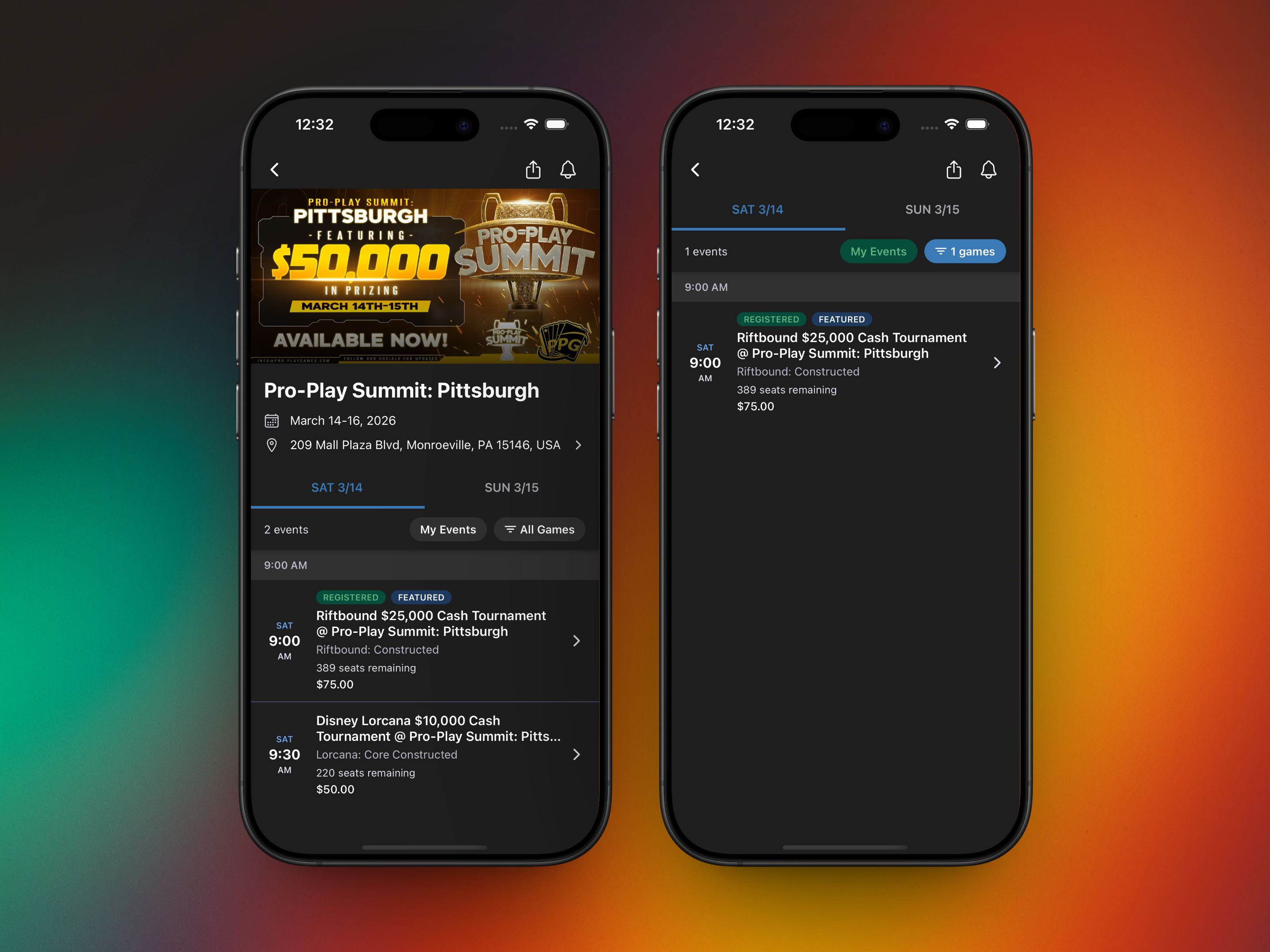
Conventions on TopDeck just got a whole lot more convenient. Starting today, you can browse full convention schedules, see your registered events, and plan your weekend directly from the TopDeck mobile app.
If you've attended a convention, you know the drill: juggling paper schedules, checking your email for confirmation codes, and trying to remember which events you signed up for. Those days are over.
Your Convention, In Your Pocket
Open any convention in the app and you'll see the full schedule organized by day. Swipe between days to see what's happening Friday, Saturday, Sunday - however long the convention runs. Events are grouped by time, so you can quickly scan what's firing at 10 AM, 2 PM, and beyond.
What you can do:
- Browse by day - Swipe between days with smooth tab navigation
- Filter by game - Running between Magic and Pokemon events? Filter to see just the games you care about
- See your schedule - Tap "My Events" to instantly see only the events you're registered for
- Registration status - Green "Registered" badges show which events you've already signed up for
- One-tap registration - See something interesting? Tap to view details and register on the spot
We designed this with the convention experience in mind. The schedule loads fast, the interface stays out of your way, and hour headers help you orient yourself in time when scrolling through a packed Saturday schedule.
Get the Update
The convention experience is available now in the latest version of the TopDeck app. If you haven't updated recently, grab the latest from the App Store or Google Play.
Already have the app? You should see the update automatically.
We're also working on on-demand event queues in-app for conventions - more on that soon.
As always, questions and feedback welcome at [email protected] or in our Discord.
Zain
The TopDeck.gg Team